Visualizing Your Traefik Logs: Deploying the Traefik Log Dashboard with the Pangolin Stack

Visualizing Your Traefik Traffic: Deploy the Enhanced Traefik Log Dashboard with OpenTelemetry Support

Usage Load for the containers

If you’re using the powerful Pangolin stack with Traefik as your reverse proxy, you’re already handling traffic like a pro. But what about monitoring that traffic in real-time? Raw log files and scattered metrics can make it challenging to get a comprehensive view of what’s happening across your infrastructure.

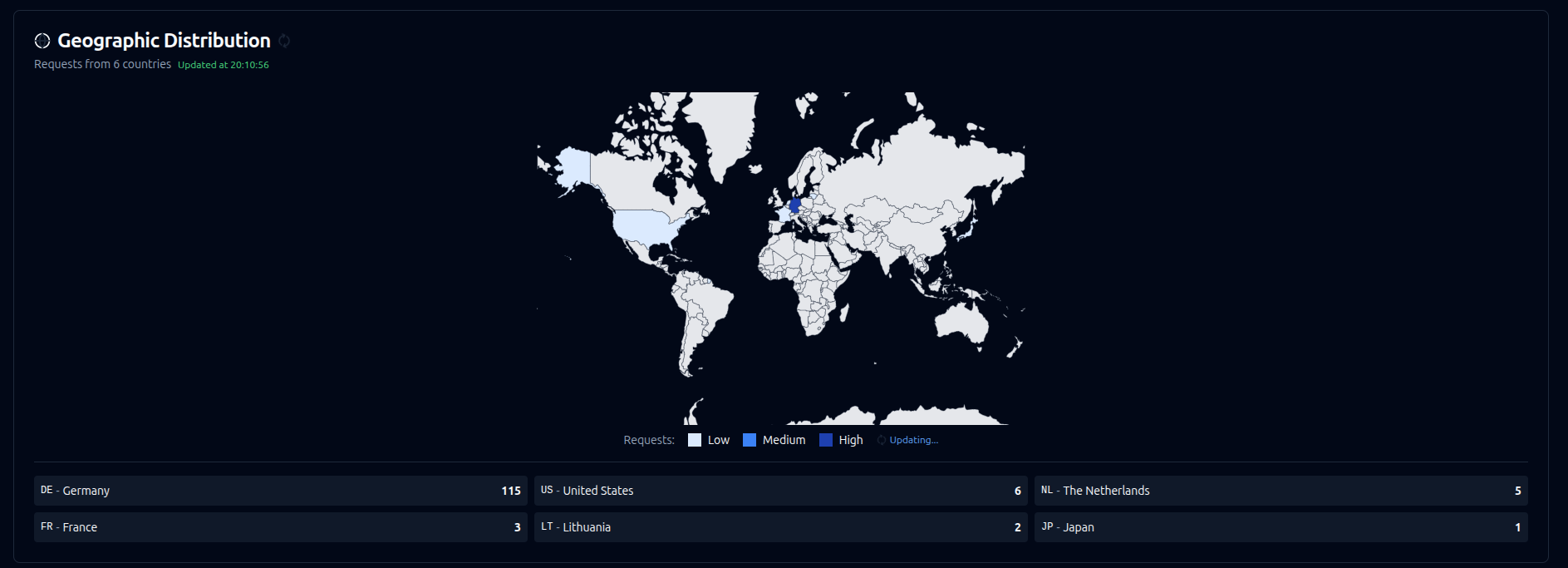
This is where the enhanced Traefik Log Dashboard truly shines. It’s evolved into a comprehensive monitoring solution that provides clean, real-time visualization of your Traefik traffic through multiple data sources - traditional log parsing, modern OpenTelemetry traces, and enhanced geolocation analytics.

In this guide, we’ll show you how to seamlessly integrate the latest Traefik Log Dashboard into your existing Pangolin docker-compose setup with both traditional log monitoring and cutting-edge OpenTelemetry support.

What’s New in the Latest Version

The Traefik Log Dashboard has undergone significant enhancements:

  • OpenTelemetry OTLP Support: Direct real-time telemetry ingestion from Traefik v3.0+

  • Enhanced Geolocation: MaxMind GeoIP2 integration with offline database support

  • Hybrid Data Sources: Simultaneously monitor via OTLP traces AND traditional log files

  • Advanced Analytics: Real-time request rates, response times, error tracking, and geographic distribution

  • Smart Filtering: Hide unknown services, private IPs, with advanced pagination

  • Production Ready: Resource limits, health checks, and performance optimizations

  • Easy Deployment: Multiple deployment modes with Docker Compose profiles

Prerequisites

Before we start, ensure you have the following installed on your system:

  • Docker & Docker Compose

  • Traefik v3.0+ (for OTLP support) or v2.x (for log-only mode)

This guide assumes you already have a basic Pangolin stack running. We’ll be adding the enhanced Traefik Log Dashboard services to it.

Step 1: Choose Your Monitoring Approach

The dashboard now supports three monitoring modes:

Option A: OpenTelemetry Only (Recommended - Real-time)

Modern approach using Traefik’s built-in OTLP exporter for immediate trace data.

Option B: Log Files Only (Traditional)

Parse structured JSON log files - works with any Traefik version.

Option C: Hybrid Mode (Best of Both)

Combine real-time OTLP with historical log data for complete visibility.

Step 2: Configure Traefik for Enhanced Monitoring

For OpenTelemetry Support (Recommended)

Update your traefik_config.yml to enable both OTLP tracing and traditional logging:

# ./config/traefik/traefik_config.yml

log:
  level: INFO
  filePath: "/var/log/traefik/traefik.log"
  format: json

# Traditional JSON access logs (optional with OTLP)
accessLog:
  filePath: "/var/log/traefik/access.log"
  format: json

# NEW: OpenTelemetry Tracing Configuration
tracing:
  otlp:
    http:
      endpoint: "http://log-dashboard-backend:4318/v1/traces"
    # Alternative: GRPC for better performance
    # grpc:
    #   endpoint: "log-dashboard-backend:4317"
    #   insecure: true
  
  # Sampling rate (adjust for your needs)
  sampleRate: 1.0  # 100% for development, 0.1 (10%) for production
  
  # Global attributes added to all traces
  globalAttributes:
    environment: "production"
    service.version: "v3.0"
    deployment.environment: "pangolin"

For Log Files Only

If you prefer the traditional approach or are using an older Traefik version:

# ./config/traefik/traefik_config.yml

log:
  level: INFO
  filePath: "/var/log/traefik/traefik.log"

accessLog:
  filePath: "/var/log/traefik/access.log"
  format: json # <-- Essential for dashboard parsing
  fields:
    defaultMode: keep
    headers:
      defaultMode: keep
      names:
        User-Agent: keep
        Authorization: drop

Step 3: Add Enhanced Dashboard to Your docker-compose.yml

Here’s your updated docker-compose.yml with the enhanced dashboard services:

name: pangolin
services:
  pangolin:
    image: fosrl/pangolin:1.5.1
    container_name: pangolin
    restart: unless-stopped
    volumes:
      - ./config:/app/config
    healthcheck:
      test: ["CMD", "curl", "-f", "http://localhost:3001/api/v1/"]
      interval: "10s"
      timeout: "10s"
      retries: 15

  gerbil:
    image: fosrl/gerbil:1.0.0
    container_name: gerbil
    restart: unless-stopped
    depends_on:
      pangolin:
        condition: service_healthy
    command:
      - --reachableAt=http://gerbil:3003
      - --generateAndSaveKeyTo=/var/config/key
      - --remoteConfig=http://pangolin:3001/api/v1/gerbil/get-config
      - --reportBandwidthTo=http://pangolin:3001/api/v1/gerbil/receive-bandwidth
    volumes:
      - ./config/:/var/config
    cap_add:
      - NET_ADMIN
      - SYS_MODULE
    ports:
      - "51820:51820/udp"
      - "8080:8080"
      - "443:443"
      - "80:80"

  traefik:
    image: traefik:v3.4.0
    container_name: traefik
    restart: unless-stopped
    network_mode: service:gerbil
    depends_on:
      pangolin:
        condition: service_healthy
    command:
      - --configFile=/etc/traefik/traefik_config.yml
    volumes:
      - ./config/traefik:/etc/traefik:ro
      - ./config/letsencrypt:/letsencrypt
      - ./config/traefik/logs:/var/log/traefik
      - ./traefik/plugins-storage:/plugins-storage:rw

  # --- Enhanced Traefik Log Dashboard with OTLP Support ---

  log-dashboard-backend:
    image: ghcr.io/hhftechnology/traefik-log-dashboard-backend:latest
    container_name: log-dashboard-backend
    restart: unless-stopped
    ports:
      - "4317:4317"   # OTLP GRPC endpoint
      - "4318:4318"   # OTLP HTTP endpoint
    volumes:
      - ./config/traefik/logs:/logs:ro
      - ./config/maxmind:/maxmind:ro
    environment:
      # Basic configuration
      - PORT=3001
      - TRAEFIK_LOG_FILE=/logs/access.log
      
      # OTLP Configuration (NEW)
      - OTLP_ENABLED=true
      - OTLP_GRPC_PORT=4317
      - OTLP_HTTP_PORT=4318
      
      # MaxMind GeoIP (Enhanced)
      - USE_MAXMIND=true
      - MAXMIND_DB_PATH=/maxmind/GeoLite2-City.mmdb
      - MAXMIND_FALLBACK_ONLINE=true
      
      # Performance optimization
      - GOGC=50
      - GOMEMLIMIT=500MiB
    healthcheck:
      test: ["CMD", "wget", "--quiet", "--tries=1", "--spider", "http://localhost:3001/health"]
      interval: 30s
      timeout: 10s
      retries: 3
    deploy:
      resources:
        limits:
          cpus: '1.0'
          memory: 512M
        reservations:
          cpus: '0.2'
          memory: 128M

  log-dashboard-frontend:
    image: ghcr.io/hhftechnology/traefik-log-dashboard-frontend:latest
    container_name: log-dashboard-frontend
    restart: unless-stopped
    ports:
      - "3000:80"
    environment:
      - BACKEND_SERVICE=log-dashboard-backend
      - BACKEND_PORT=3001
    depends_on:
      - log-dashboard-backend
    healthcheck:
      test: ["CMD", "wget", "--quiet", "--tries=1", "--spider", "http://localhost/"]
      interval: 30s
      timeout: 10s
      retries: 3
    deploy:
      resources:
        limits:
          cpus: '0.5'
          memory: 256M
        reservations:
          cpus: '0.1'
          memory: 64M

  # Optional: MaxMind GeoIP Database Updater
  maxmind-updater:
    image: alpine:latest
    container_name: maxmind-db-updater
    restart: "no"
    volumes:
      - ./config/maxmind:/data
    environment:
      - MAXMIND_LICENSE_KEY=${MAXMIND_LICENSE_KEY:-your-license-key-here}
    command: >
      sh -c "
        apk add --no-cache wget tar &&
        cd /data &&
        if [ ! -f GeoLite2-City.mmdb ] || [ $$(find . -name 'GeoLite2-City.mmdb' -mtime +7) ]; then
          echo 'Downloading/updating MaxMind database...' &&
          wget -O GeoLite2-City.tar.gz 'https://download.maxmind.com/app/geoip_download?edition_id=GeoLite2-City&license_key=$$MAXMIND_LICENSE_KEY&suffix=tar.gz' &&
          tar --wildcard -xzf GeoLite2-City.tar.gz --strip-components=1 '*/GeoLite2-City.mmdb' &&
          rm -f GeoLite2-City.tar.gz &&
          echo 'MaxMind database updated successfully'
        else
          echo 'MaxMind database is up to date'
        fi
      "

networks:
  default:
    driver: bridge
    name: pangolin

What’s Enhanced in the New Setup?

OpenTelemetry Integration

  • Real-time traces: Get immediate visibility into requests as they happen

  • OTLP endpoints: Both HTTP (4318) and GRPC (4317) support for maximum compatibility

  • Hybrid monitoring: Combine OTLP traces with traditional log parsing

Advanced Geolocation

  • MaxMind GeoIP2: Offline IP geolocation with city-level accuracy

  • Automatic updates: Database refreshes weekly for accuracy

  • Privacy-focused: Optional offline-only mode

Enhanced Analytics

  • Real-time metrics: Request rates, response times, error tracking

  • Geographic visualization: Interactive world map showing request origins

  • Service insights: Detailed router and service performance analytics

:wrench: Production Optimizations

  • Resource limits: Controlled CPU and memory usage

  • Health checks: Comprehensive monitoring of service health

  • Performance tuning: Optimized garbage collection and memory management

Step 4: Setup MaxMind GeoIP (Recommended)

For enhanced geographic insights, set up MaxMind GeoIP:

  1. Get a free MaxMind account: Sign up at https://www.maxmind.com/en/geolite2/signup

  2. Generate a license key from your account dashboard

  3. Set the environment variable:

    export MAXMIND_LICENSE_KEY=your_license_key_here
    
    
  4. Create the directory:

    mkdir -p ./config/maxmind


The MaxMind updater will automatically download the database on first run.

Step 5: Launch Your Enhanced Stack

With all configurations in place, let’s bring everything online:

# Navigate to your Pangolin directory
cd /path/to/your/pangolin

# Start all services
docker compose up -d

# Check service health
docker compose ps

Step 6: Explore Your Enhanced Dashboard!

Open your web browser and navigate to:

http://localhost:3000

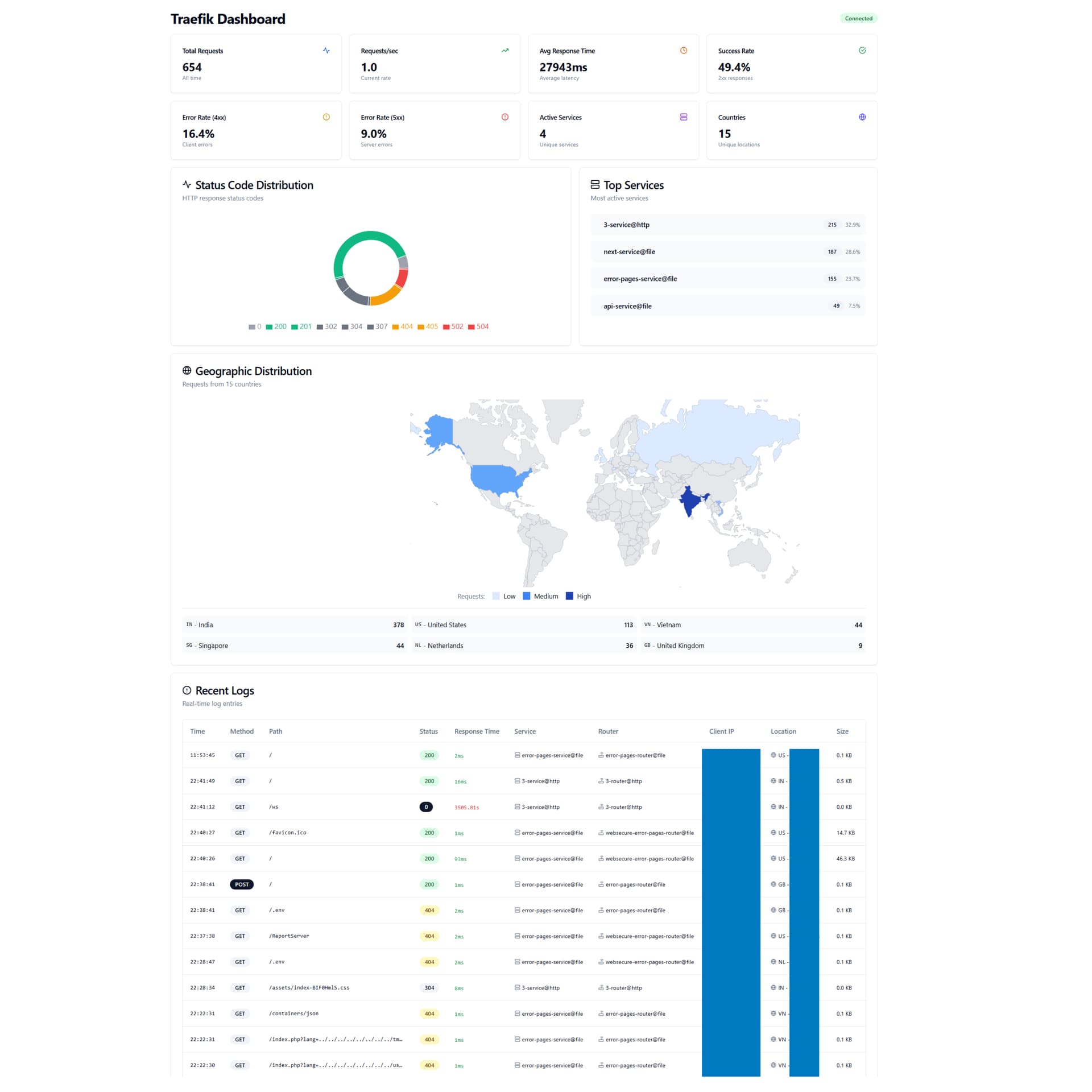
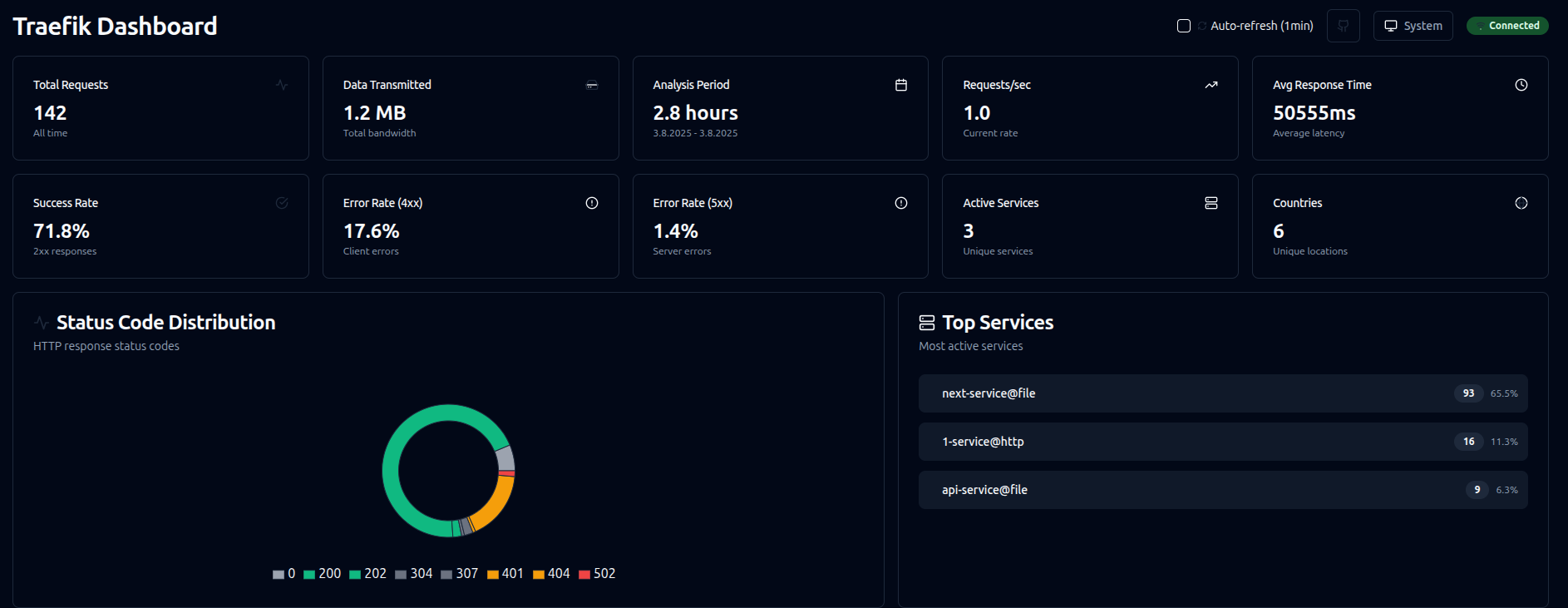
You’ll now see a comprehensive dashboard featuring:

  • Real-time Statistics: Live request counts, response times, error rates

  • Geographic Map: Interactive world map showing request origins

  • Status Code Analytics: Visual breakdown of HTTP response codes

  • Advanced Log Table: Searchable, filterable request logs with pagination

  • Service Insights: Performance metrics by service and router

  • Live Updates: Real-time data via WebSocket connections

Key Dashboard Features

  1. Dual Data Sources: See both OTLP traces (real-time) and log entries (historical)

  2. Smart Filtering: Hide unknown services, private IPs, or apply custom filters

  3. Geographic Intelligence: See exactly where your traffic is coming from

  4. Performance Monitoring: Track response times, error rates, and throughput

  5. Service Analytics: Understand which services are most active

Step 7: Performance Optimization (Optional)

For high-traffic environments, consider these optimizations:

Reduce OTLP Sampling

# In traefik_config.yml
tracing:
  sampleRate: 0.1  # 10% sampling for production

Use GRPC for Better Performance

# In traefik_config.yml  
tracing:
  otlp:
    grpc:
      endpoint: "log-dashboard-backend:4317"
      insecure: true

Optimize Resource Usage

# In docker-compose.yml
environment:
  - GOGC=20  # More aggressive garbage collection
  - GOMEMLIMIT=1GiB

Troubleshooting Common Issues

OTLP Data Not Appearing

  1. Verify Traefik configuration points to correct endpoint

  2. Check that OTLP ports (4317/4318) are accessible

  3. Ensure sampling rate > 0

Log Files Not Loading

  1. Verify log file path: ./config/traefik/logs:/logs:ro

  2. Ensure Traefik outputs JSON format

  3. Check container logs: docker compose logs log-dashboard-backend

Performance Issues

  1. Reduce sampling rate in Traefik

  2. Use GRPC instead of HTTP for OTLP

  3. Limit logs in memory with environment variables

Development and Testing

The dashboard includes helpful development features:

# View backend logs
docker compose logs -f log-dashboard-backend

# Check OTLP receiver status
curl http://localhost:3001/api/otlp/status

# View real-time statistics
curl http://localhost:3001/api/stats | jq .

Conclusion

By integrating the enhanced Traefik Log Dashboard with OpenTelemetry support into your Pangolin stack, you gain unprecedented visibility into your traffic patterns. The combination of real-time OTLP traces, comprehensive log analysis, and geographic intelligence provides everything you need to monitor, debug, and optimize your infrastructure.

The dashboard’s hybrid approach means you can start with traditional log parsing and gradually adopt OpenTelemetry traces as you modernize your monitoring stack - all while maintaining complete visibility into your Traefik traffic.

Whether you’re troubleshooting performance issues, monitoring for security threats, or simply want to understand your traffic patterns better, this enhanced dashboard provides the insights you need in a clean, intuitive interface.

Happy monitoring!


For more advanced features, configuration options, and troubleshooting, visit the GitHub repository for comprehensive documentation and community support.

9 Likes

how to update this dashboard

1 Like
backend:
  image: ghcr.io/hhftechnology/traefik-log-dashboard-backend:latest
  container_name: log-dashboard-backend
  restart: unless-stopped
  volumes:
    - ./config/traefik/logs:/logs:ro # Mount the Traefik logs directory
    - ./config/maxmind:/maxmind # Mount the Traefik logs directory
  environment:
    - PORT=3001
    - TRAEFIK_LOG_FILE=/logs/access.log
    - USE_MAXMIND=true
    - MAXMIND_DB_PATH=/maxmind/GeoLite2-City.mmdb
    - MAXMIND_FALLBACK_ONLINE=true
    - GOGC=50
    - GOMEMLIMIT=500MiB

frontend:
  image: ghcr.io/hhftechnology/traefik-log-dashboard-frontend:latest
  container_name: log-dashboard-frontend
  restart: unless-stopped
  ports:
    - "3000:80"
  depends_on:
    - backend
  deploy:
    resources:
      limits:
        cpus: '0.5'
        memory: 256M
      reservations:
        cpus: '0.1'
        memory: 64M

Nice! Though, I tried to implement this and it really messed up my pangolin VPS, which I had set up mostly based on your crowdsec and middleware manager guides. I think it ended up causing a massive memory leak that then prevented me from access my VPS via SSH. I ended up having to detach the boot volume and attach it to a rescue VM as a secondary volume to revert the docker compose stack and volumes to their prior state.

1 Like

there is no memory leak. your log file might have overwhelmed the system. currently v1.0.6 is running on almost 62 pangolin installations.

below is with 22000 entries

First of all, thank you for your work on this project — I love dashboards because they’re so useful!

I’m currently using an ARM64-based VPS (Ampere A1 Oracle Instance), and I ran into an issue with running the provided Docker image due to architecture incompatibility (exec format error).

Would it be possible to add support for ARM64 (aarch64) either?

1 Like

yes, i am working on non-root image. once that’s done will incorporate arm in the same release. 1.0.7

I’m sure it was my own user error or lack of understanding about how the config would interact with my existing set up. Also now seeing that this is for AMD arch, and I’m also running ARM Ampere like user above.

1 Like

That’s awesome! Thanks!

1 Like

@Der_Joker @phneeley
can you guys try docker pull hhftechnology/traefik-log-dashboard-frontend:dev if it works then i will publish it to docker hub tomo.

  • /hhftechnology/traefik-log-dashboard-frontend:dev => seems to be working!

    • but, only with backend v1.0.5
      • traefik-log-dashboard-backend:dev => exec ./main: exec format erro
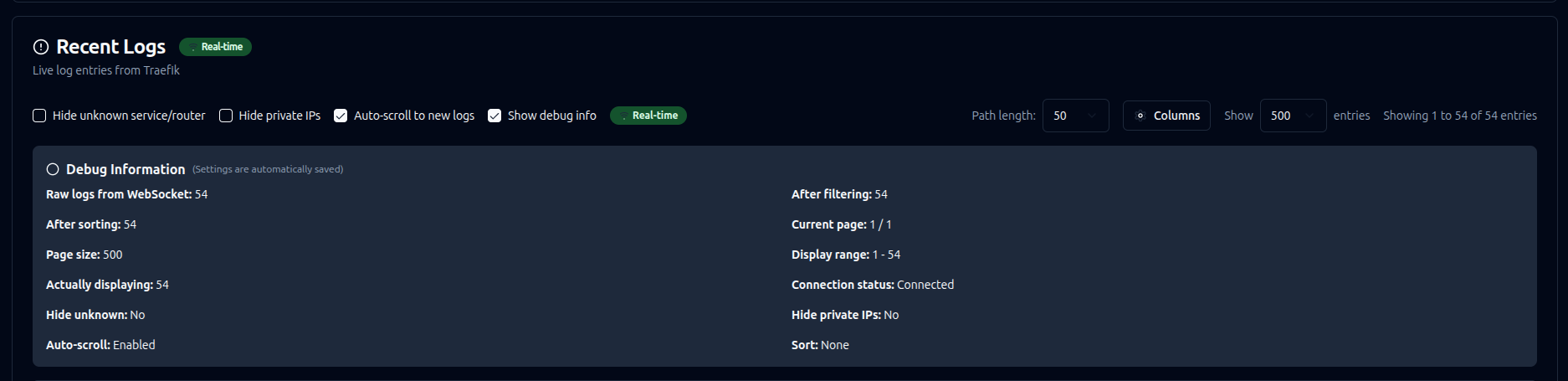
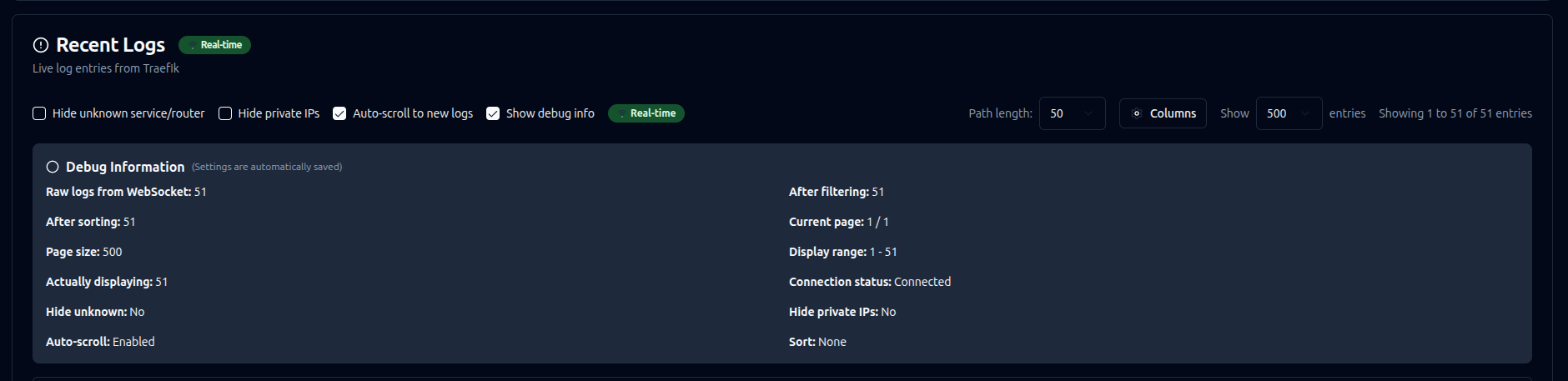
  • after reloading the website, only the last 50 logs are displayed, even though there are about 150 in total

  • New logs do not show location, but location appears after reloading the site.

Some screenshots:

Currently I am running 1.0.6 in production for Oracle Arm installation. Same dev as images. No issues.

Use auto refresh option if needed on the top

FYI including the above in my traefik_config.yml was giving me errors like below when starting traefik container. Removing it allowed it to start properly.

{“level”:“error”,“error”:“command traefik error: field not found, node: timeout”,“time”:“2025-08-07T11:48:32Z”,“message”:“Command error”}
1 Like

it my mistake in the code

Now stable OLTP v 1.1.0

1 Like
  log-dashboard-backend:
    # BUILD FROM SOURCE to ensure OTLP code is included
    image: hhftechnology/traefik-log-dashboard-backend:dev    
    container_name: log-dashboard-backend
    restart: unless-stopped
    ports:
      - "3001:3001"   # API port
      - "4317:4317"   # OTLP GRPC port
      - "4318:4318"   # OTLP HTTP port
    volumes:
      - ./config/maxmind:/maxmind
    environment:
      - PORT=3001
      # OTLP Configuration - MUST BE ENABLED
      - OTLP_ENABLED=true
      - OTLP_GRPC_PORT=4317
      - OTLP_HTTP_PORT=4318
      - OTLP_DEBUG=true
      # MaxMind Configuration  
      - USE_MAXMIND=true
      - MAXMIND_DB_PATH=/maxmind/GeoLite2-City.mmdb
      - MAXMIND_FALLBACK_ONLINE=false
      # Performance Settings
      - GOGC=50
      - GOMEMLIMIT=1000MiB
      - TRAEFIK_LOG_FILE=
      # IMPORTANT: Do NOT set TRAEFIK_LOG_FILE for OTLP-only mode
    networks:
      default:
        aliases:
          - backend  # Add alias so Traefik can reach it as 'backend'

  log-dashboard-frontend:
    image: ghcr.io/hhftechnology/traefik-log-dashboard-frontend:dev
    container_name: log-dashboard-frontend
    restart: unless-stopped
    ports:
      - "3000:80"
    depends_on:
      - log-dashboard-backend
    environment:
      - BACKEND_SERVICE=log-dashboard-backend
      - BACKEND_PORT=3001

  # MaxMind GeoLite2 database updater
  maxmind-updater:
    image: alpine:latest
    container_name: maxmind-db-updater
    restart: "no"
    volumes:
      - ./config/maxmind:/data
    environment:
      - MAXMIND_LICENSE_KEY=${MAXMIND_LICENSE_KEY:-}
    command: >
      sh -c "
        apk add --no-cache wget tar &&
        cd /data &&
        if [ ! -f GeoLite2-City.mmdb ] || [ $$(find . -name 'GeoLite2-City.mmdb' -mtime +7) ]; then
          echo 'Downloading/updating MaxMind GeoLite2-City database...' &&
          wget -O GeoLite2-City.tar.gz 'https://download.maxmind.com/app/geoip_download?edition_id=GeoLite2-City&license_key=$$MAXMIND_LICENSE_KEY&suffix=tar.gz' &&
          tar -xzf GeoLite2-City.tar.gz --strip-components=1 '*/GeoLite2-City.mmdb' &&
          rm -f GeoLite2-City.tar.gz &&
          echo 'MaxMind database updated successfully'
        else
          echo 'MaxMind database is up to date'
        fi
      "
# Enhanced Traefik Configuration with Working OTLP
# FILE: ./config/traefik/traefik_config.yml

# API Configuration
api:
  dashboard: true
  insecure: true
  debug: true  # Enable debug for troubleshooting

# Certificate Resolvers
certificatesResolvers:
  letsencrypt:
    acme:
      caServer: https://acme-v02.api.letsencrypt.org/directory
      email: 
      httpChallenge:
        entryPoint: web
      storage: /letsencrypt/acme.json

# Entry Points
entryPoints:
  web:
    address: :80
    forwardedHeaders:
      trustedIPs:
        - "127.0.0.1/32"     # localhost
        - "10.0.0.0/8"       # Private network
        - "172.16.0.0/12"    # Docker networks
        - "192.168.0.0/16"   # Private networks
  websecure:
    address: :443
    http:
      tls:
        certResolver: letsencrypt
    transport:
      respondingTimeouts:
        readTimeout: 30m

# Experimental Plugins
experimental:
  localPlugins:
    bandwidthlimiter:
      moduleName: github.com/hhftechnology/bandwidthlimiter
    ipwhitelistshaper:
      moduleName: github.com/hhftechnology/ipwhitelistshaper
    statiq:
      moduleName: github.com/hhftechnology/statiq
    tlsguard:
      moduleName: github.com/hhftechnology/tlsguard
  plugins:
    badger:
      moduleName: github.com/fosrl/badger
      version: v1.2.0

# Providers
providers:
  file:
    directory: /rules
    watch: true
  http:
    endpoint: http://pangolin:3001/api/v1/traefik-config
    pollInterval: 5s

# Server Transport
serversTransport:
  insecureSkipVerify: true

# Logging Configuration
log:
  level: "INFO"  # Set to DEBUG if you need more verbose logs
  format: json
  filePath: "/logs/traefik-app.log"

# Access Logs (Optional - can run alongside OTLP)
accessLog:
  format: json
  filePath: "/logs/access.log"
  bufferingSize: 100
  fields:
    defaultMode: keep
    names:
      ClientUsername: drop
    headers:
      defaultMode: keep
      names:
        User-Agent: keep
        Authorization: drop
        Content-Type: keep

# --- OTLP TRACING CONFIGURATION ---
tracing:
  # Service name for traces
  serviceName: "traefik"
  
  # Sample rate - 1.0 means 100% (reduce for production, e.g., 0.1 = 10%)
  sampleRate: 1.0
  
  # Global attributes added to all spans
  globalAttributes:
    environment: "production"
    service.version: "v3.4.0"
    deployment.environment: "docker"
    traefik.instance: "main"
  
  # OTLP exporter configuration
  otlp:
    # HTTP exporter (recommended)
    http:
      # CRITICAL: This endpoint must be reachable from Traefik
      endpoint: "http://log-dashboard-backend:4318"
      # Timeout for requests
    # Alternative: GRPC exporter (uncomment to use instead)
    # grpc:
    #   endpoint: "log-dashboard-backend:4317"
    #   insecure: true
    #   timeout: "10s"
name: pangolin
services:
  pangolin:
    image: fosrl/pangolin:1.8.0
    container_name: pangolin
    restart: unless-stopped
    volumes:
      - ./config:/app/config
    healthcheck:
      test: ["CMD", "curl", "-f", "http://localhost:3001/api/v1/"]
      interval: "10s"
      timeout: "10s"
      retries: 15

  gerbil:
    image: fosrl/gerbil:1.0.0
    container_name: gerbil
    restart: unless-stopped
    depends_on:
      pangolin:
        condition: service_healthy
    command:
      - --reachableAt=http://gerbil:3003
      - --generateAndSaveKeyTo=/var/config/key
      - --remoteConfig=http://pangolin:3001/api/v1/gerbil/get-config
      - --reportBandwidthTo=http://pangolin:3001/api/v1/gerbil/receive-bandwidth
    volumes:
      - ./config/:/var/config
    cap_add:
      - NET_ADMIN
      - SYS_MODULE
    ports:
      - 51820:51820/udp
      - 8080:8080
      - 443:443
      - 80:80

  traefik:
    image: traefik:v3.4.0
    container_name: traefik
    restart: unless-stopped
    network_mode: service:gerbil
    depends_on:
      pangolin:
        condition: service_healthy
    command:
      - --configFile=/etc/traefik/traefik_config.yml
    volumes:
      - ./config/traefik:/etc/traefik:ro
      - ./config/letsencrypt:/letsencrypt
      - ./config/traefik/logs:/var/log/traefik # Main log directory
      - ./traefik/plugins-storage:/plugins-storage:rw
      - ./traefik/plugins-storage:/plugins-local:rw
      - ./config/traefik/rules:/rules
      - ./public_html:/var/www/html:ro
      # Additional log directories for multiple sources
      - ./logs/archived:/var/log/traefik/archived:ro # Archived logs
      - ./logs/external:/var/log/traefik/external:ro # External service logs

  middleware-manager:
    image: hhftechnology/middleware-manager:traefik-int
    container_name: middleware-manager
    restart: unless-stopped
    volumes:
      - ./data:/data
      - ./config/traefik/rules:/conf
      - ./config/middleware-manager/templates.yaml:/app/config/templates.yaml
      - ./config/middleware-manager/templates_services.yaml:/app/config/templates_services.yaml
      - ./config/middleware-manager/config.json:/app/config/config.json
      - ./config/traefik:/etc/traefik
    environment:
      - TRAEFIK_API_URL=http://gerbil:8080
      - TRAEFIK_CONF_DIR=/conf
      - DB_PATH=/data/middleware.db
      - PORT=3456
      - ACTIVE_DATA_SOURCE=pangolin
      - TRAEFIK_STATIC_CONFIG_PATH=/etc/traefik/traefik_config.yml
      - PLUGINS_JSON_URL=https://raw.githubusercontent.com/hhftechnology/middleware-manager/traefik-int/plugin/plugins.json
    ports:
      - "3456:3456"

  # Enhanced backend with multiple log sources and OTLP support
  backend:
    image: hhftechnology/traefik-log-dashboard-backend:latest
    container_name: log-dashboard-backend
    restart: unless-stopped
    volumes:
      # Multiple log directories
      - ./config/traefik/logs:/logs:ro           # Main Traefik logs
      - ./logs/archived:/logs/archived:ro        # Archived logs
      - ./logs/external:/logs/external:ro        # External service logs
      
      # MaxMind database
      - ./config/maxmind:/maxmind
      
      # Optional: Specific log files
      - ./custom-logs/app1.log:/logs/custom/app1.log:ro
      - ./custom-logs/app2.log:/logs/custom/app2.log:ro
    
    ports:
      - "3001:3001"    # API port
      - "4317:4317"    # OTLP GRPC port
      - "4318:4318"    # OTLP HTTP port
    
    environment:
      # === MULTIPLE LOG FILES CONFIGURATION ===
      
      # Option 1: Comma-separated specific files
      - TRAEFIK_LOG_FILE=/logs/access.log,/logs/archived/access-2025.log,/logs/external/service1.log,/logs/custom/app1.log,/logs/custom/app2.log
      
      # Option 2: Directory-based monitoring (alternative to specific files)
      # - TRAEFIK_LOG_PATH=/logs,/logs/archived,/logs/external
      
      # === OTLP CONFIGURATION ===
      - OTLP_ENABLED=true
      - OTLP_GRPC_PORT=4317
      - OTLP_HTTP_PORT=4318
      - OTLP_DEBUG=true
      - OTLP_FALLBACK_ENABLED=true
      
      # === GEOLOCATION ===
      - USE_MAXMIND=true
      - MAXMIND_DB_PATH=/maxmind/GeoLite2-City.mmdb
      - MAXMIND_FALLBACK_ONLINE=true
      
      # === PERFORMANCE TUNING ===
      - GOGC=50
      - GOMEMLIMIT=500MiB
      
  frontend:
    image: hhftechnology/traefik-log-dashboard-frontend:latest
    container_name: log-dashboard-frontend
    restart: unless-stopped
    ports:
      - "3000:80"
    depends_on:
      - backend
    environment:
      - NODE_ENV=production
      - BACKEND_SERVICE=backend
      - BACKEND_PORT=3001
    deploy:
      resources:
        limits:
          cpus: '0.5'
          memory: 256M
        reservations:
          cpus: '0.1'
          memory: 64M


networks:
  default:
    driver: bridge
    name: pangolin

I did end up getting this to work with the new ARM image. Thanks!

1 Like

If you get 401 unauthorized from maxmind-db-updater

  • remove the $$MAXMIND_LICENSE_KEY and replace with $MAXMIND_LICENSE_KEY

if you get this in the logs
``
tar: */GeoLite2-City.mmdb: Not found in archive
tar: Pattern matching characters used in file names
tar: Use --wildcards to enable pattern matching, or --no-wildcards to suppress this warning

replace the command in the maxmind-db-updater with this

command: >

  sh -c "

apk add --no-cache wget tar &&

cd /data &&

if \[ ! -f GeoLite2-City.mmdb \] || \[ $$(find . -name 'GeoLite2-City.mmdb' -mtime +7) \]; then

  echo 'Downloading/updating MaxMind database...' &&

  wget -O GeoLite2-City.tar.gz 'https://download.maxmind.com/app/geoip_download?edition_id=GeoLite2-City&license_key=$MAXMIND_LICENSE_KEY&suffix=tar.gz' &&

  tar --wildcards -xzf GeoLite2-City.tar.gz --strip-components=1 '\*/GeoLite2-City.mmdb' &&

  rm -f GeoLite2-City.tar.gz &&

  echo 'MaxMind database updated successfully'

else

  echo 'MaxMind database is up to date'

fi

"
1 Like

also just to note that if you redirect traefik logs you may not see then doing docker logs traefik -f so you can use this instead

docker exec -it traefik tail -f /var/log/traefik/traefik.log

1 Like