So here’s my configuration, from back to front . All the pixelated domain names in the screenshots correspond to the example “mydomain.com”, so I’m basically using auth.mydomain.com and mydomain.com, as well as other subdomains *.mydomain.com for the apps. I didn’t check where I do something different from the documentation, so please compare it yourself.
Outpost
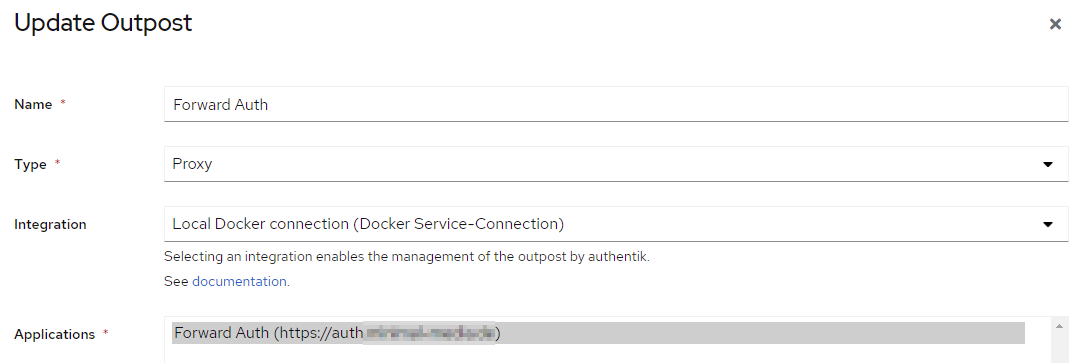
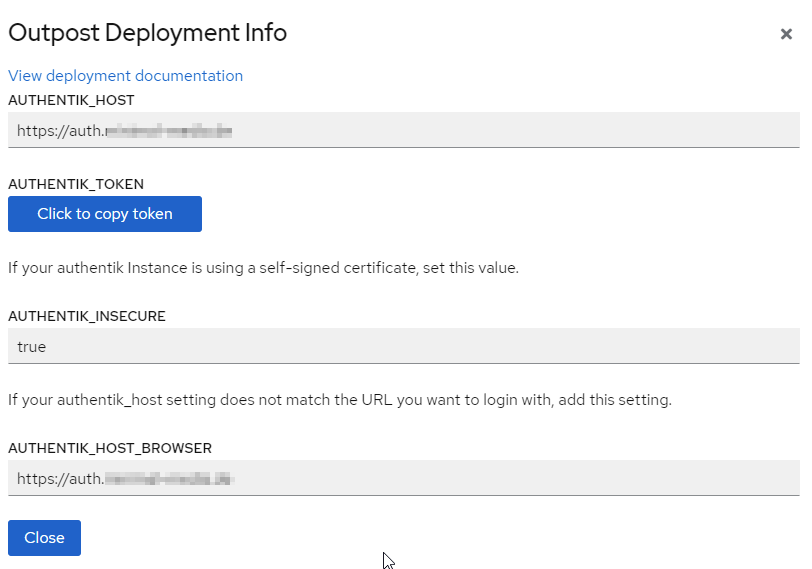
Proxy Provider
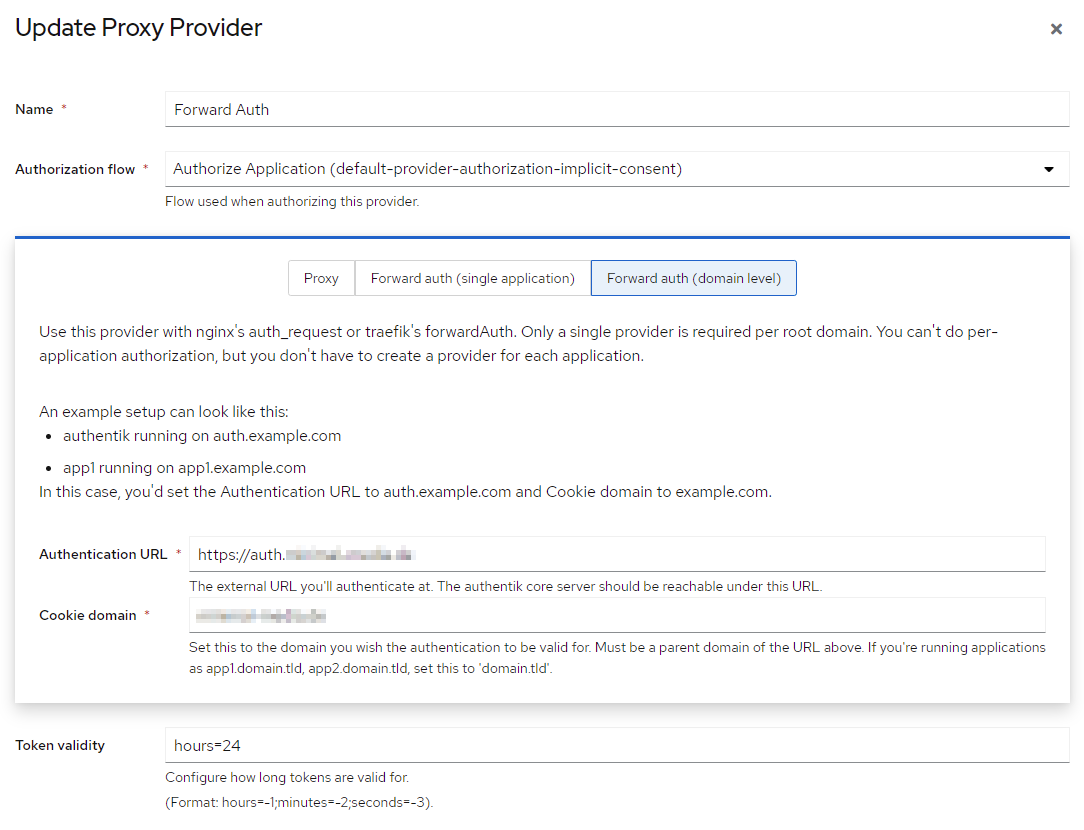
No Advanced protocol settings
Application
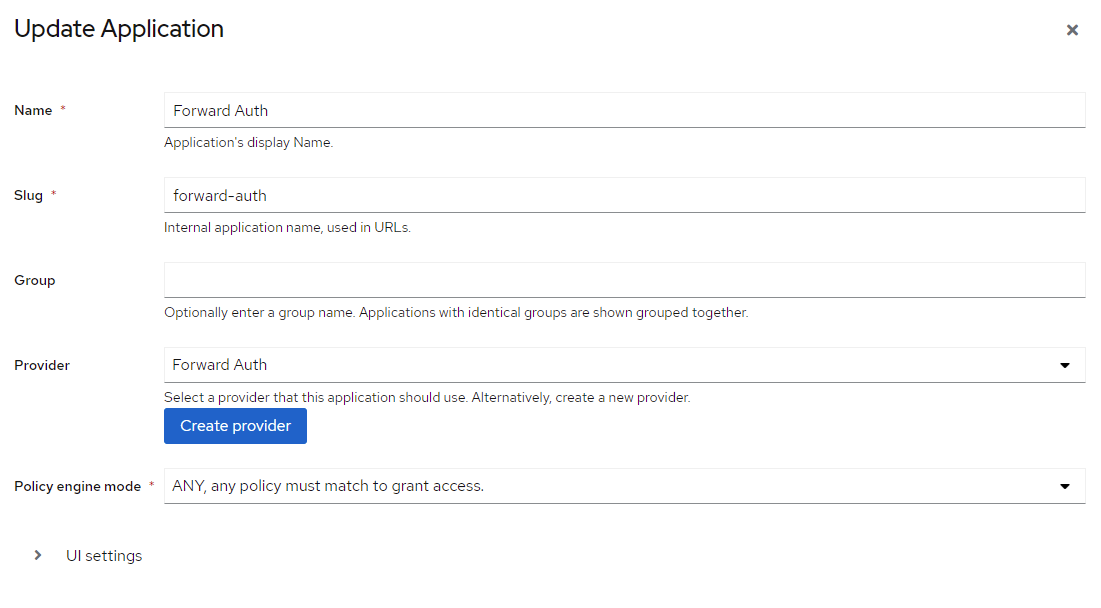
No UI settings
Outpost Container
With this configuration, Authentik pulls up an outpost as a docker container, and registers it with Traefik:

Traefik middleware configuration (docker-compose)
This is the relevant middleware declaration for my docker-based Traefik instance. It provides the “authentik@docker” middleware for all apps
    labels:
      - "traefik.enable=true"
      [...]
      # the host name follows the naming scheme "object_naming_template" from the outpost
      - "traefik.http.middlewares.authentik.forwardauth.address=http://authentik-outpost-forward-auth:9000/outpost.goauthentik.io/auth/traefik"
      - "traefik.http.middlewares.authentik.forwardauth.trustForwardHeader=true"
      - "traefik.http.middlewares.authentik.forwardauth.authResponseHeaders=X-authentik-username,X-authentik-groups,X-authentik-email,X-authentik-name,X-authentik-uid,X-authentik-jwt,X-authentik-meta-jwks,X-authentik-meta-outpost,X-authentik-meta-provider,X-authentik-meta-app,X-authentik-meta-version"
App container (docker-compose)
Protecting an app under mydomain.com is just as simple as configuring the middleware in the apps docker-compose.yml file:
    labels:
      - "traefik.enable=true"
      - "traefik.http.routers.app.rule=Host(`app.mydomain.com`)"
      - "traefik.http.routers.app.entrypoints=websecure"
      - "traefik.http.routers.app.tls.certresolver=myresolver"
      - "traefik.docker.network=common-bridge"
      - "traefik.http.services.kuma.loadbalancer.server.port=8080"
      - "traefik.http.routers.app.middlewares=authentik@docker"
If your current state is that you still do not see an Outpost middleware in Traefik.
I refer to this view - overview of the outposts when I click “Outposts” in the menu

The screenshot that I showed comes from the pop-up that opens when I click on “View Deployment Info” for the forward auth outpost.
When you say"you still do not see …" - did you configure the middleware as described under the heading “Traefik middleware configuration (docker-compose)” above? To summarize:
- Authentik should provide the docker-based outpost container automatically
- You need to configure a middleware in your basic Traefik instance that connects to this outpost
- You can then use tis middleware to protect any docker instance under the domain