To distribute the load to several Nextcloud instances, we connect a load balancer (HAProxy) in front of the Nextcloud web server. In addition, we encrypt communication with SSL both externally and internally.
You can find three configuration examples from the enterprise environment further down in this article.
Download: nextcloud_haproxy/Layer4or6 at main - hhf/nextcloud_haproxy - HHF Technology Repository
In this guide, we’ll start with this exemplary environment:
- haproxy – 192.168.2.205
- nc1 – 192.168.2.206
- nc2 – 192.168.2.207
First, we customize the hosts file on all servers:
sudo -s nano /etc/hosts
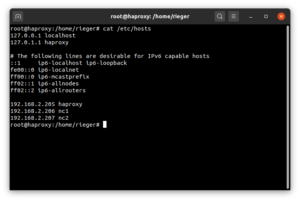
# Server: haproxy
127.0.0.1 localhost
127.0.1.1 haproxy
...
192.168.2.205 haproxy
192.168.2.206 nc1
192.168.2.207 nc2
# Server: nc1
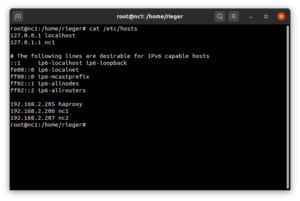
127.0.0.1 localhost
127.0.1.1 nc1
...
92.168.2.205 haproxy
192.168.2.206 nc1
192.168.2.207 nc2
# Server: nc2
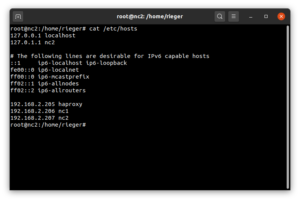
127.0.0.1 localhost
127.0.1.1 nc2
...
192.168.2.205 haproxy
192.168.2.206 nc1
192.168.2.207 nc2
Nun aktualisieren wir den haproxy-Server und installieren den HAProxy-Loadbalancer:
apt update && apt upgrade -y
apt-get install --no-install-recommends software-properties-common
add-apt-repository ppa:vbernat/haproxy-2.6
apt install socat haproxy=2.6.\*
To be able to view the status of the Loabalancer “live” we use the tool HATOP:
wget http://archive.ubuntu.com/ubuntu/pool/universe/h/hatop/hatop_0.8.0-1.1_all.deb<br>dpkg -i hatop*.deb
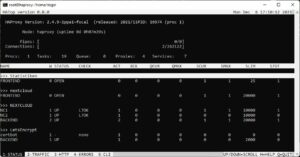
If you call the HATop tool after completing the HAProxys as follows:
hatop -s /run/haproxy/admin.sock
this gives you a “live” view of the load balancer.
Using self-signed SSL certificates as an example, we encrypt both the communication to the load balancer and the communication between the load balancer and the Nextcloud instances. To be able to realize this, we install
apt install ssl-cert
and generate new self-signed SSL_Certifikate
make-ssl-cert generate-default-snakeoil -y
To be able to use these certificates in HAProxy, we merge the certificate and the PrivatKey into one file:
cat /etc/ssl/private/ssl-cert-snakeoil.key /etc/ssl/certs/ssl-cert-snakeoil.pem > /etc/haproxy/server.pem
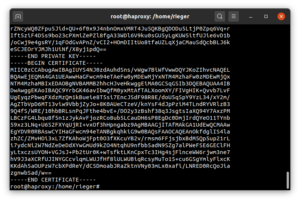
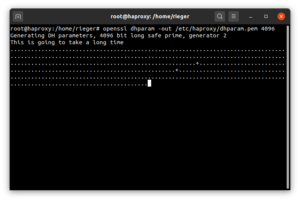
In addition, we generate a dhparam.pem file to secure the key exchange itself:
openssl dhparam -dsaparam -out /etc/haproxy/dhparam.pem 2048

The preparations are now complete, so that we can configure the HAProxy (Layer6 / http mode). Let’s start with a backup copy of the default configuration.
touch /var/log/haproxy.log
chown syslog:adm /var/log/haproxy.log
cd /etc/haproxy
cp haproxy.cfg haproxy.cfg.bak
Then open the configuration file and replace the complete content with the following block:
global
log /dev/loglocal0
log /dev/loglocal1 notice
chroot /var/lib/haproxy
stats socket /run/haproxy/admin.sock mode 660 level admin expose-fd listeners
stats timeout 30s
user haproxy
group haproxy
daemon

# Default SSL material locations
ca-base /etc/ssl/certs
crt-base /etc/ssl/private

ssl-default-bind-ciphers ECDHE-ECDSA-AES128-GCM-SHA256:ECDHE-RSA-AES128-GCM-SHA256:ECDHE-ECDSA-AES256-GCM-SHA384:ECDHE-RSA-AES256-GCM-SHA384:ECDHE-ECDSA-CHACHA20-POLY1305:ECDHE-RSA-CHACHA20-POLY1305:DHE-RSA-AES128-GCM-SHA256:DHE-RSA-AES256-GCM-SHA384
    ssl-default-bind-ciphersuites TLS_AES_128_GCM_SHA256:TLS_AES_256_GCM_SHA384:TLS_CHACHA20_POLY1305_SHA256
    ssl-default-bind-options prefer-client-ciphers no-sslv3 no-tlsv10 no-tlsv11 no-tls-tickets

    ssl-default-server-ciphers ECDHE-ECDSA-AES128-GCM-SHA256:ECDHE-RSA-AES128-GCM-SHA256:ECDHE-ECDSA-AES256-GCM-SHA384:ECDHE-RSA-AES256-GCM-SHA384:ECDHE-ECDSA-CHACHA20-POLY1305:ECDHE-RSA-CHACHA20-POLY1305:DHE-RSA-AES128-GCM-SHA256:DHE-RSA-AES256-GCM-SHA384
    ssl-default-server-ciphersuites TLS_AES_128_GCM_SHA256:TLS_AES_256_GCM_SHA384:TLS_CHACHA20_POLY1305_SHA256
    ssl-default-server-options no-sslv3 no-tlsv10 no-tlsv11 no-tls-tickets
ssl-dh-param-file /etc/ssl/certs/dhparam.pem

defaults
logglobal
modehttp
optionhttplog
optiondontlognull
        timeout connect 5000
        timeout client  50000
        timeout server  50000
errorfile 400 /etc/haproxy/errors/400.http
errorfile 403 /etc/haproxy/errors/403.http
errorfile 408 /etc/haproxy/errors/408.http
errorfile 500 /etc/haproxy/errors/500.http
errorfile 502 /etc/haproxy/errors/502.http
errorfile 503 /etc/haproxy/errors/503.http
errorfile 504 /etc/haproxy/errors/504.http

listen  stats
bind :8443 ssl crt /etc/haproxy/server.pem alpn h2,http/1.1 ssl-min-ver TLSv1.2
        maxconn 5
        mode  http
        stats enable
stats show-legends
stats hide-version
        stats refresh 30s
        stats show-node
        stats uri  /

frontend NEXTCLOUD
        mode    http
        bind    :80
        bind    :443 ssl crt /etc/haproxy/server.pem alpn h2,http/1.1 ssl-min-ver TLSv1.2
        maxconn 20000
        acl url_discovery path /.well-known/caldav /.well-known/carddav
        http-request redirect location /remote.php/dav/ code 301 if url_discovery
        redirect scheme https code 301 if !{ ssl_fc }
        http-response set-header Strict-Transport-Security max-age=63072000
        acl is_certbot path_beg /.well-known/acme-challenge/
        use_backend LetsEncrypt if is_certbot
        default_backend NEXTCLOUD

backend NEXTCLOUD
        balance leastconn
        cookie SERVERID insert indirect nocache
        option httpchk GET /login
        http-check expect rstatus [2-3][0-9][0-9]
        server server1 192.168.2.206:443 check maxconn 10000 ssl verify none ca-file /etc/haproxy/server.pem cookie nc1
        server server2 192.168.2.207:443 check maxconn 10000 ssl verify none ca-file /etc/haproxy/server.pem cookie nc2

backend LetsEncrypt
        mode http
        server certbot 127.0.0.1:9080
Configuration examples from the enterprise environment:
- Layer 6 / http-mode with Healthcheck and SSL termination at HAProxy
- Layer 4 / tcp-mode with http healthcheck
- Layer 4 / tcp-mode with SNI (various applications, e.g. Nextcloud and BigBlueButton)
Example 1: Layer 6 / http-mode with http healthcheck:
global
        log /dev/log    local0
        log /dev/log    local1 notice
        chroot /var/lib/haproxy
        stats socket /run/haproxy/admin.sock mode 660 level admin expose-fd listeners
        stats timeout 30s
        user haproxy
        group haproxy
        daemon
        ca-base /etc/ssl/certs
        crt-base /etc/ssl/private
        ssl-default-bind-ciphers ECDHE-ECDSA-AES128-GCM-SHA256:ECDHE-RSA-AES128-GCM-SHA256:ECDHE-ECDSA-AES256-GCM-SHA384:ECDHE-RSA-AES256-GCM-SHA384:ECDHE-ECDSA-CHACHA20-POLY1305:ECDHE-RSA-CHACHA20-POLY1305:DHE-RSA-AES128-GCM-SHA256:DHE-RSA-AES256-GCM-SHA384
        ssl-default-bind-ciphersuites TLS_AES_128_GCM_SHA256:TLS_AES_256_GCM_SHA384:TLS_CHACHA20_POLY1305_SHA256
        ssl-default-bind-options ssl-min-ver TLSv1.2 no-tls-tickets
        tune.ssl.cachesize 1000000
        ssl-dh-param-file /etc/haproxy/dhparam.pem

defaults
        logglobal
modehttp
optionhttplog
optiondontlognull
        timeout connect 5000
        timeout client  50000
        timeout server  50000
errorfile 400 /etc/haproxy/errors/400.http
errorfile 403 /etc/haproxy/errors/403.http
errorfile 408 /etc/haproxy/errors/408.http
errorfile 500 /etc/haproxy/errors/500.http
errorfile 502 /etc/haproxy/errors/502.http
errorfile 503 /etc/haproxy/errors/503.http
errorfile 504 /etc/haproxy/errors/504.http

frontend Statistiken
        bind   *:8443 ssl crt /etc/haproxy/server.pem alpn h2,http/1.1 ssl-min-ver TLSv1.2
        mode   http
        option httplog
        maxconn 5
        stats enable
        stats show-legends
        stats hide-version
        stats refresh 60s
        stats show-node
        stats uri /

frontend NEXTCLOUD
mode    http
bind    :80
bind    :443 ssl crt /etc/haproxy/server.pem alpn h2,http/1.1 ssl-min-ver TLSv1.2
acl url_discovery path /.well-known/caldav /.well-known/carddav
http-request redirect location /remote.php/dav/ code 301 if url_discovery
redirect scheme https code 301 if !{ ssl_fc }
http-response set-header Strict-Transport-Security max-age=63072000
acl is_certbot path_beg /.well-known/acme-challenge/
use_backend LetsEncrypt if is_certbot
default_backend NEXTCLOUD

backend NEXTCLOUD
        mode http
        fullconn 20000
        balance leastconn
        stick-table type ip size 128m expire 2h
        stick on src
option forwardfor
option httpchk GET /login
        http-check expect rstatus [2-3][0-9][0-9]
        server NC1 192.168.2.206:443 weight 1 inter 5s downinter 20s rise 4 fall 2 check ssl verify none ca-file /etc/haproxy/server.pem on-marked-down shutdown-sessions maxconn 10000
        server NC2 192.168.2.207:443 weight 1 inter 5s downinter 20s rise 4 fall 2 check ssl verify none ca-file /etc/haproxy/server.pem on-marked-down shutdown-sessions maxconn 10000

backend LetsEncrypt
       mode http
       server certbot 127.0.0.1:9080
# (c) Carsten Rieger IT-Services, v. 220102
Example 2: Layer 4 / tcp-mode with http healthcheck:
global
        log /dev/log    local0
        log /dev/log    local1 notice
        chroot /var/lib/haproxy
        stats socket /run/haproxy/admin.sock mode 660 level admin expose-fd listeners
        stats timeout 30s
        user haproxy
        group haproxy
        daemon
        ca-base /etc/ssl/certs
        crt-base /etc/ssl/private
        ssl-default-bind-ciphers ECDHE-ECDSA-AES128-GCM-SHA256:ECDHE-RSA-AES128-GCM-SHA256:ECDHE-ECDSA-AES256-GCM-SHA384:ECDHE-RSA-AES256-GCM-SHA384:ECDHE-ECDSA-CHACHA20-POLY1305:ECDHE-RSA-CHACHA20-POLY1305:DHE-RSA-AES128-GCM-SHA256:DHE-RSA-AES256-GCM-SHA384
        ssl-default-bind-ciphersuites TLS_AES_128_GCM_SHA256:TLS_AES_256_GCM_SHA384:TLS_CHACHA20_POLY1305_SHA256
        ssl-default-bind-options ssl-min-ver TLSv1.2 no-tls-tickets
        tune.ssl.cachesize 1000000
        ssl-dh-param-file /etc/haproxy/dhparam.pem

defaults
        log     global
        mode    tcp
        option  tcplog
        option  dontlognull
        timeout connect 5000
        timeout client  50000
        timeout server  50000
        errorfile 400 /etc/haproxy/errors/400.http
        errorfile 403 /etc/haproxy/errors/403.http
        errorfile 408 /etc/haproxy/errors/408.http
        errorfile 500 /etc/haproxy/errors/500.http
        errorfile 502 /etc/haproxy/errors/502.http
        errorfile 503 /etc/haproxy/errors/503.http
        errorfile 504 /etc/haproxy/errors/504.http

frontend Statistiken
        bind   *:8443 ssl crt /etc/haproxy/server.pem alpn h2,http/1.1 ssl-min-ver TLSv1.2
        mode   http
        option httplog
        maxconn 5
        stats enable
        stats show-legends
        stats hide-version
        stats refresh 60s
        stats show-node
        stats uri /

frontend NEXTCLOUD
        bind *:443
        maxconn 20000
        mode tcp
        option tcplog
        tcp-request inspect-delay 5s
        tcp-request content accept if { req_ssl_hello_type 1 }
        default_backend NEXTCLOUD

backend NEXTCLOUD
        mode tcp
        fullconn 20000
        balance leastconn
        stick-table type ip size 100m expire 2h
        stick on src
option httpchk GET /login
        http-check expect rstatus [2-3][0-9][0-9]
        server server1 192.168.2.206:443  weight 1 inter 5s downinter 20s rise 4 fall 2 check check-ssl verify none on-marked-down shutdown-sessions maxconn 10000
        server server2 192.168.2.207:443  weight 1 inter 5s downinter 20s rise 4 fall 2 check check-ssl verify none on-marked-down shutdown-sessions maxconn 10000
# (c) Carsten Rieger IT-Services, v. 220102
Example 3: Layer 4 / tcp-mode SSL passthrough for Nextcloud and BigBlueButton:
global
log /dev/log    local0
        log /dev/log    local1 notice
chroot /var/lib/haproxy
stats socket /run/haproxy/admin.sock mode 660 level admin
stats timeout 30s
user haproxy
group haproxy
daemon

# Default SSL material locations
ca-base /etc/ssl/certs
crt-base /etc/ssl/private

# See: https://ssl-config.mozilla.org/#server=haproxy&server-version=2.0.3&config=intermediate
        ssl-default-bind-ciphers ECDHE-ECDSA-AES128-GCM-SHA256:ECDHE-RSA-AES128-GCM-SHA256:ECDHE-ECDSA-AES256-GCM-SHA384:ECDHE-RSA-AES256-GCM-SHA384:ECDHE-ECDSA-CHACHA20-POLY1305:ECDHE-RSA-CHACHA20-POLY1305:DHE-RSA-AES128-GCM-SHA256:DHE-RSA-AES256-GCM-SHA384
        ssl-default-bind-ciphersuites TLS_AES_128_GCM_SHA256:TLS_AES_256_GCM_SHA384:TLS_CHACHA20_POLY1305_SHA256
        ssl-default-bind-options ssl-min-ver TLSv1.2 no-tls-tickets

defaults
log     global
        mode    tcp
        option  tcplog
        timeout connect 5000
        timeout client  50000
        timeout server  50000
errorfile 400 /etc/haproxy/errors/400.http
errorfile 403 /etc/haproxy/errors/403.http
errorfile 408 /etc/haproxy/errors/408.http
errorfile 500 /etc/haproxy/errors/500.http
errorfile 502 /etc/haproxy/errors/502.http
errorfile 503 /etc/haproxy/errors/503.http
errorfile 504 /etc/haproxy/errors/504.http

frontend proxy
 bind *:443
 mode tcp
 option tcplog
 maxconn 10000
 tcp-request inspect-delay 5s
 tcp-request content accept if { req_ssl_hello_type 1 }
 acl Nextcloud req_ssl_sni -i nextcloud.domain.de
 acl BigBlueButton req_ssl_sni -i bbb.domain.de.de
 use_backend Nextcloud if Nextcloud
 use_backend BigBlueButton if BigBlueButton

backend Nextcloud
  mode tcp
  fullconn 5000
  balance source
  stick-table type binary len 32 size 1m expire 600m
  acl clienthello req_ssl_hello_type 1
  acl serverhello rep_ssl_hello_type 2
  tcp-request inspect-delay 5s
  tcp-request content accept if clienthello
  tcp-response content accept if serverhello
  stick on payload_lv(43,1) if clienthello
  stick store-response payload_lv(43,1) if serverhello
  option ssl-hello-chk
  server Nextcloud 192.168.2.206:443 check maxconn 5000


backend BigBlueButton
  mode tcp
  fullconn 5000
  balance source
  stick-table type binary len 32 size 1m expire 600m
  acl clienthello req_ssl_hello_type 1
  acl serverhello rep_ssl_hello_type 2
  tcp-request inspect-delay 5s
  tcp-request content accept if clienthello
  tcp-response content accept if serverhello
  stick on payload_lv(43,1) if clienthello
  stick store-response payload_lv(43,1) if serverhello
  option ssl-hello-chk
  server BigBlueButton 192.168.2.234:443 check maxconn 5000
After saving the configuration file, followed by rebooting the HAProxys
service haproxy restart
you can already access the status page of the load balancer (https://192.168.2.205:8443):
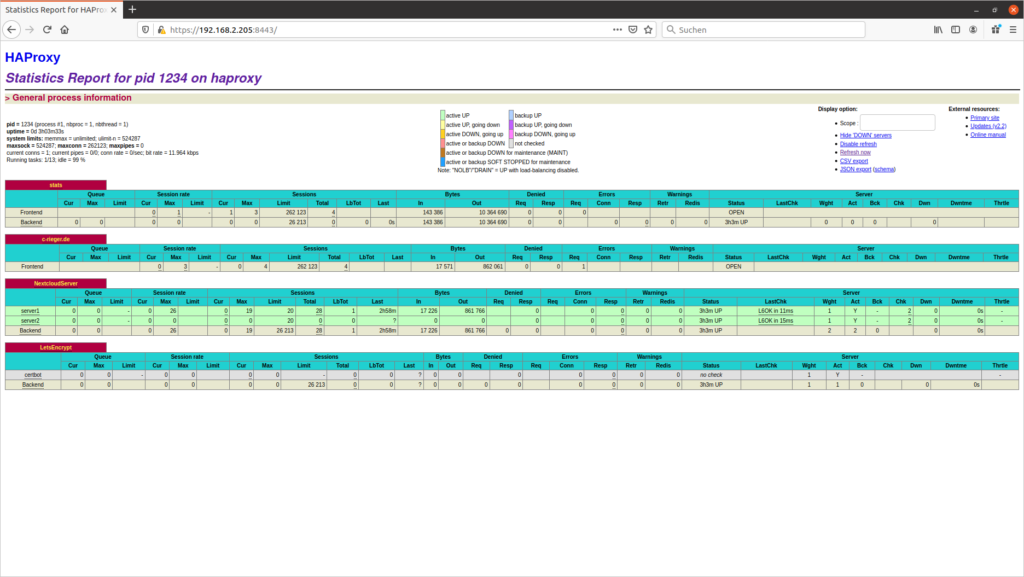
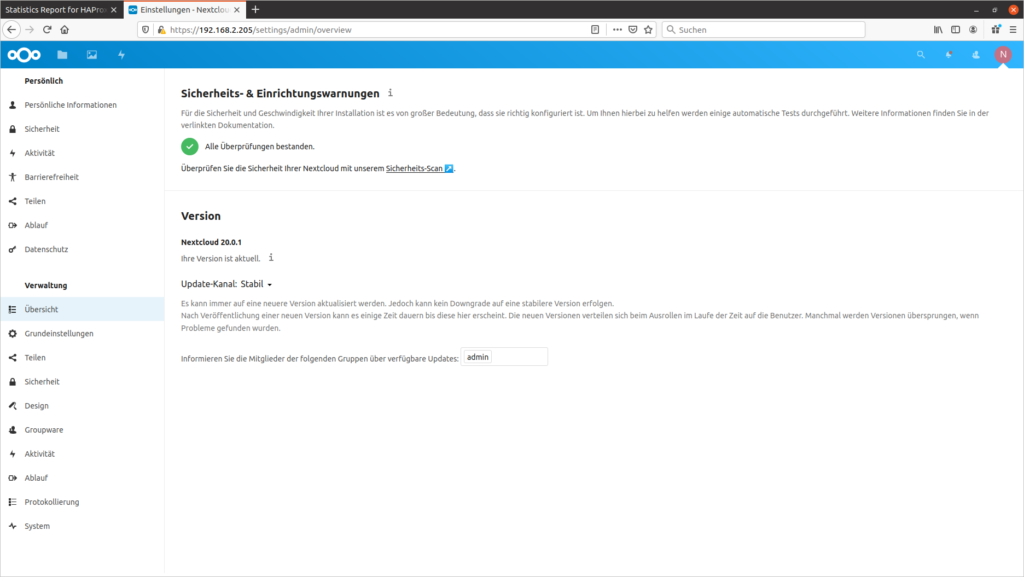
Assuming you have already set up the Nextcloud instances (backends) (read more in this article), you can achieve them “load-balanced” via https://192.168.2.205.
Check the balancing behavior in the Nextcloud as well as in the browser console. To do this, you look at the system settings of Nextcloud and visually see which node (node/server) you are on. On the other hand, you can look at the counterpart, i.e. the cookie set by HAProxy, in the browser console. In the example, both mirror the nc1 server.
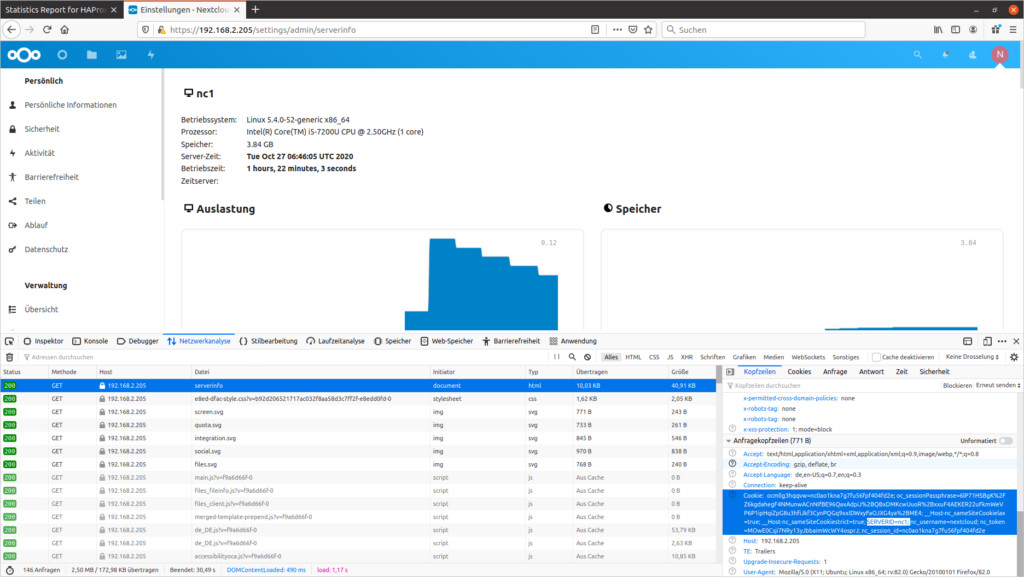
You are on the server nc1 – you will find the set cookie nc1 (SERVERID=nc1) in the browser console
If you want to use Let’s Encrypt certificates, install the Let’s Encrypt software certbot (URL):
apt install snapd
snap install core && snap refresh core
apt remove certbot

snap install --classic certbot
ln -s /snap/bin/certbot /usr/bin/certbot
Using the command line tool certbot, we request the SSL certificates
certbot certonly --standalone --preferred-challenges http --http-01-address 127.0.0.1 --http-01-port 9080 -d ihre.domain.de --email ihre@hhf.technology --agree-tos --non-interactive
and then use a script to consolidate all certificates:
nano /etc/haproxy/le-certificates.sh
#!/bin/bash
for CERTIFICATE in `find /etc/letsencrypt/live/* -type d`; do
CERTIFICATE=`basename $CERTIFICATE`
cat /etc/letsencrypt/live/$CERTIFICATE/fullchain.pem /etc/letsencrypt/live/$CERTIFICATE/privkey.pem > /etc/haproxy/server.pem
done
exit 0
Now let’s make the script executable
chmod +x /etc/haproxy/le-certificates.sh
and execute it.
/etc/haproxy/le-certificates.sh
After restarting the HAProxy service
services haproxy restart
the new Let’s Encypt SSL certificates are already in use.
To automatically renew the certificates, we need another script:
nano /etc/haproxy/le-renewal.sh
#!/bin/bash
certbot renew --standalone --preferred-challenges http --http-01-address 127.0.0.1 --http-01-port 9080 --post-hook "/etc/haproxy/le-certificates.sh && systemctl reload haproxy.service" --quiet
exit 0
This script must also be made executable again
chmod +x /etc/haproxy/le-renewal.sh
Now we create the weekly cron job
crontab -e
@weekly /etc/haproxy/le-renewal.sh > /dev/null
which checks the certificates weekly for updates and restarts the haproxy service when an update is made.
The installation and setup of the HAProxy load balancer has thus been successfully completed.