Last updated on 16th Feb 2026
Disclaimer: Only tested on fresh installations.
Prerequisites: Pangolin installed. How to Self-host Pangolin - Identity-aware VPN and Reverse Proxy for Easy Remote Access - youtube.com/@pangolin-net
After my failed try recently, I got NetBird finally running properly under Pangolin. With both running on same server as well as different servers. Thanks to Netbird for such awesome changes recently!
Context
NetBird has made it way simpler by adding embedded STUN directly in their relay service instead of using separate coturn service → [infra] add embedded STUN to getting started (#5141) which they added in v0.64.0.
They also added this guide → Migration Guide: From Coturn to Embedded STUN Server - NetBird Docs
Their Self-Hosting Quickstart Guide (5 min) - NetBird Docs doesn’t explicitly tell about removed coturn service, which I think they will update instructions in next major version. They have updated their script though.
Installation
Here is my recent installation. Follow this as reference for my below guides -
$ curl -fsSL https://github.com/netbirdio/netbird/releases/latest/download/getting-started.sh | bash
The NETBIRD_DOMAIN variable cannot be empty.
Enter the domain you want to use for NetBird (e.g. netbird.my-domain.com): nb.yourdomain.com

Which reverse proxy will you use?
  [0] Traefik (recommended - automatic TLS, included in Docker Compose)
  [1] Existing Traefik (labels for external Traefik instance)
  [2] Nginx (generates config template)
  [3] Nginx Proxy Manager (generates config + instructions)
  [4] External Caddy (generates Caddyfile snippet)
  [5] Other/Manual (displays setup documentation)

Enter choice [0-5] (default: 0): 5

Should container ports be bound to localhost only (127.0.0.1)?
Choose 'yes' if your reverse proxy runs on the same host (more secure).
Bind to localhost only? [Y/n]: Y
Rendering initial files...

==========================================
  MANUAL REVERSE PROXY SETUP
==========================================

Container ports (bound to 127.0.0.1):
  Dashboard:     8080
  NetBird Server: 8081 (all services: management, signal, relay)

Configure your reverse proxy with these routes (all go to the same backend):

  WebSocket (relay, signal, management WS proxy):
    /relay*, /ws-proxy/*           -> 127.0.0.1:8081
    (HTTP with WebSocket upgrade, extended timeout)

  Native gRPC (signal + management):
    /signalexchange.SignalExchange/* -> 127.0.0.1:8081
    /management.ManagementService/* -> 127.0.0.1:8081
    (gRPC/h2c - plaintext HTTP/2)

  HTTP (API + embedded IdP):
    /api/*, /oauth2/*              -> 127.0.0.1:8081

  Dashboard (catch-all):
    /*                             -> 127.0.0.1:8080

IMPORTANT: gRPC routes require HTTP/2 (h2c) upstream support.
WebSocket and gRPC connections need extended timeouts (recommend 1 day).

Press Enter when your reverse proxy is configured (or Ctrl+C to exit)...

Starting NetBird services

[+] up 4/4
 ✔ Network netbird_netbird     Created                                                                                                                                     0.0s
 ✔ Volume netbird_netbird_data Created                                                                                                                                     0.0s
 ✔ Container netbird-dashboard Created                                                                                                                                     0.1s
 ✔ Container netbird-server    Created                                                                                                                                     0.1s
Waiting for NetBird server to become ready . . . . . . . . done

Done!

NetBird is now running. Access the dashboard at:
  https://nb.yourdomain.com
Note before installing:
- For configuration in Pangolin UI, use these paths as prefix (without
*character at end). You can simply copy from the terminal instructions provided by netbird script without*character -
/relay/ws-proxy//signalexchange.SignalExchange//management.ManagementService//api//oauth2//
- In my second way I put netbird services directly in pangolin network for accessing them from pangolin unlike first way where I simply used 127.0.0.1/localhost. I did this because my Netbird wasn’t detected by Pangolin on localhost. You can avoid this way if your Netbird is being detected by Pangolin on localhost.
1. For Pangolin and NetBird on Different Servers
Install Newt on remote server and add remote site in Pangolin dashboard. Then Install netbird in netbird directory by using their quick start guide installation script, and when on this step -
Press Enter when your reverse proxy is configured (or Ctrl+C to exit)…
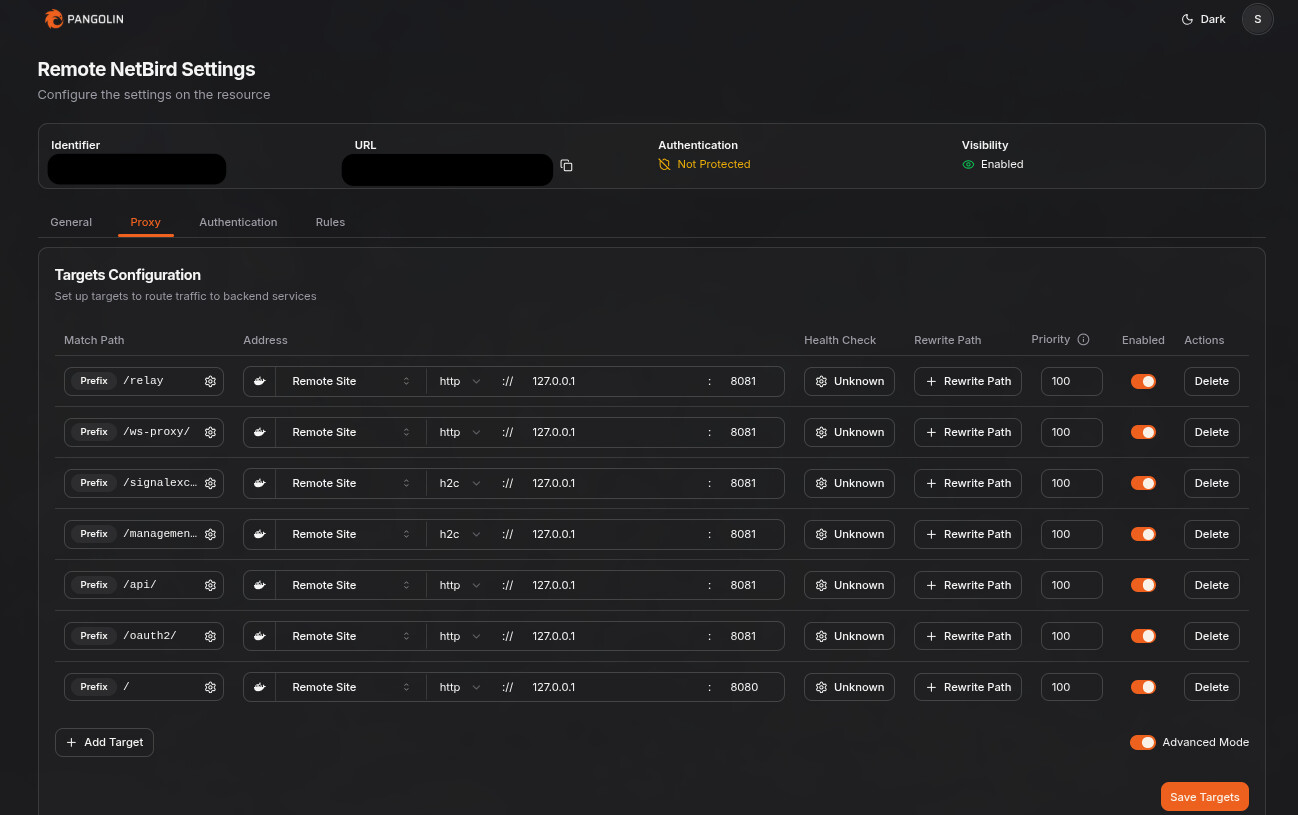
Add reverse proxy configuration in Pangolin, and press enter on Netbird script.
2. For Pangolin and NetBird on Same Server
If you installed both on same server then, first go to Pangolin UI and add your pangolin server as local site in your dashboard -
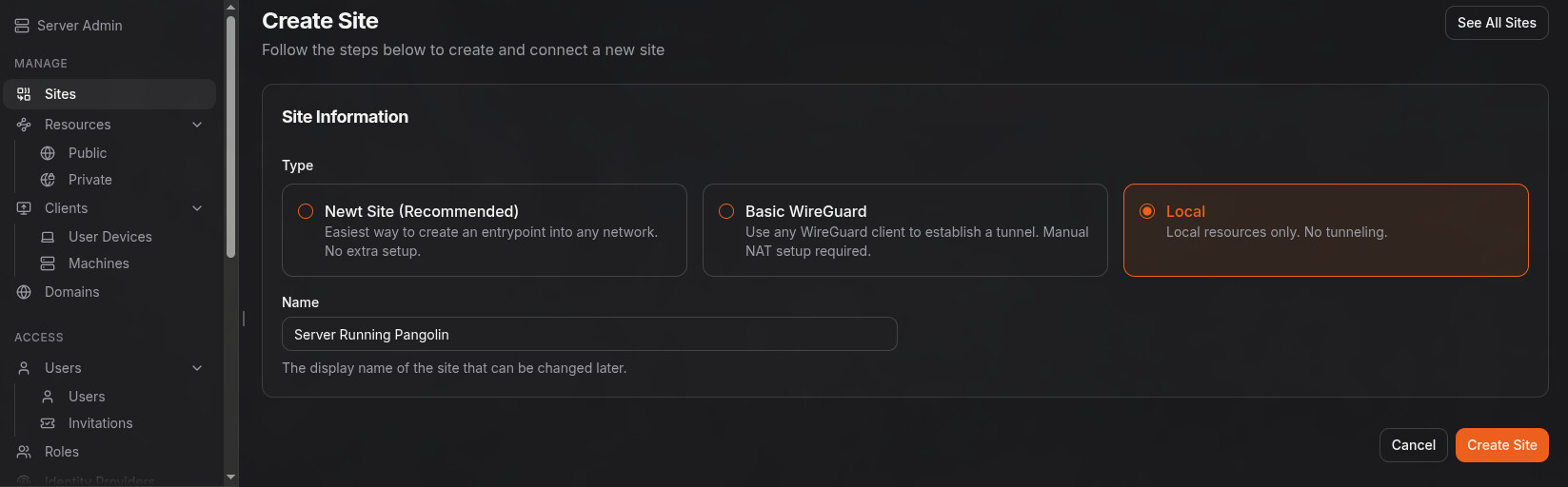
And then when installing NetBird on this step -
Press Enter when your reverse proxy is configured (or Ctrl+C to exit)…
Create a public resource on that local site with the paths provided by netbird
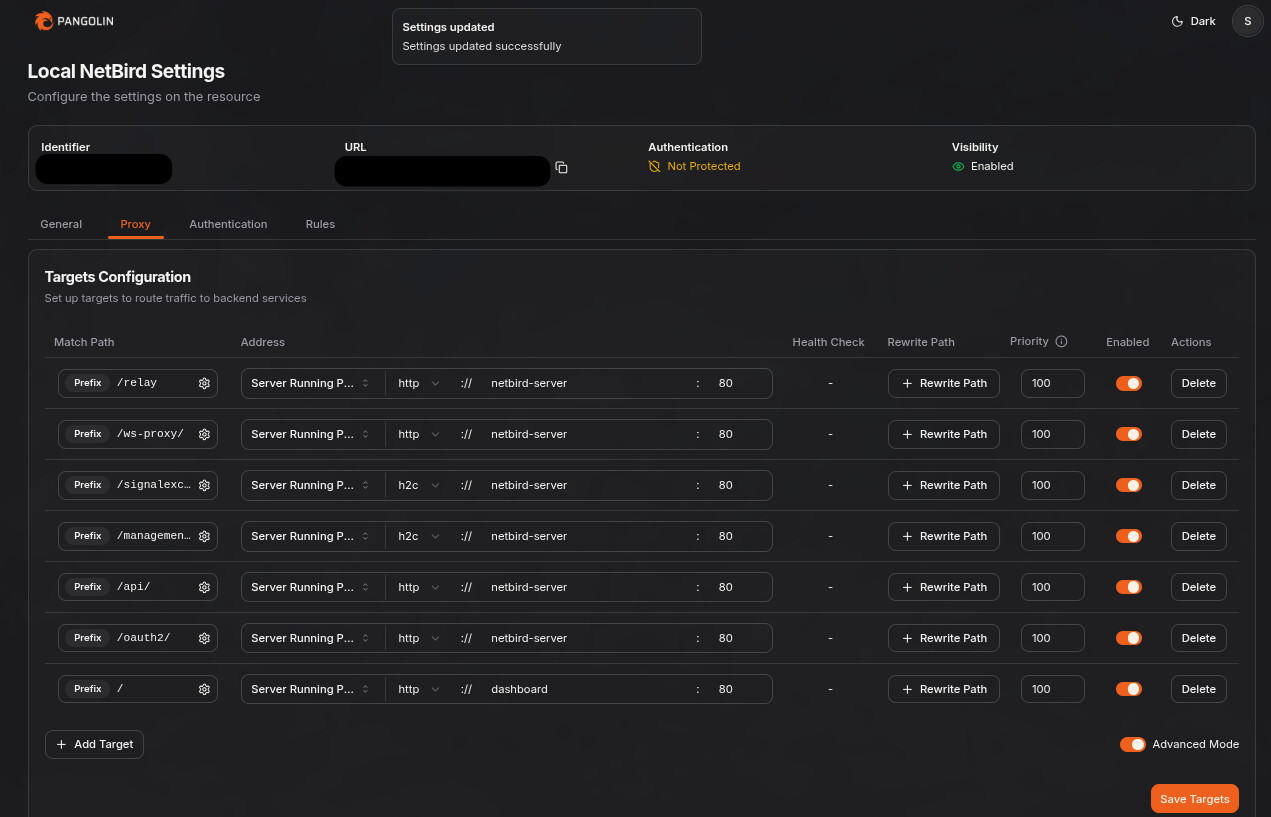
Add reverse proxy configuration in Pangolin, and press enter on Netbird script.
As you can see I’m using direct service names and ports here because I tried using 127.0.0.1 method like in 1st, pangolin was not detecting netbird for me for some reason. So I moved netbird directly to pangolin network as you can see in my below instructions -
Edit your docker-compose.yml file of inside netbird folder, where you installed netbird and make sure pangolin is already running:
# In every service, replace this -
networks: [netbird]
# with this -
networks: [pangolin]

# And for this global networks declaration part in compose file at the bottom, replace this -
networks:
  netbird:
#  with this -
networks:
  pangolin:
    external: true
BONUS!
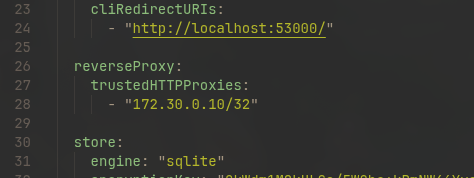
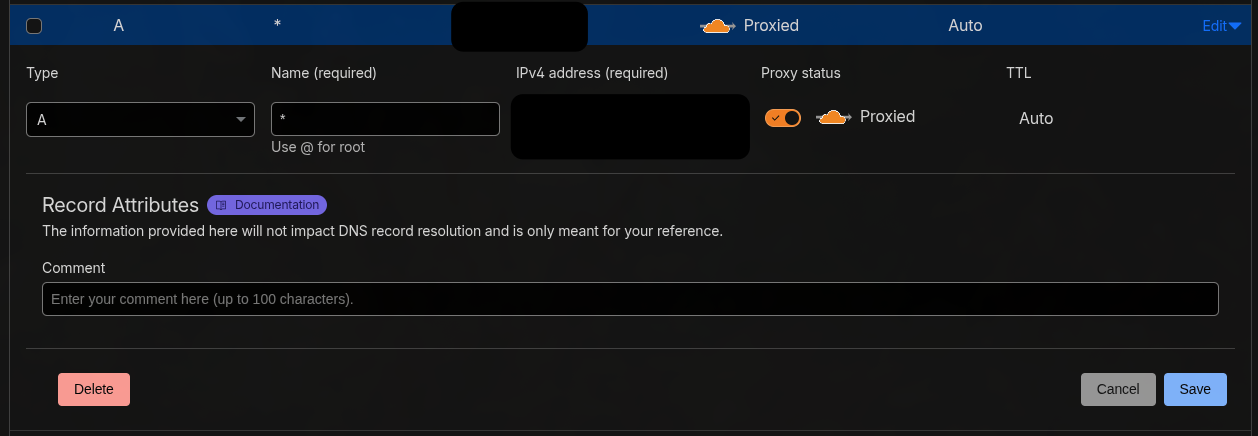
For Cloudflare users, who run pangolin server with Cloudflare Proxy/Orange Cloud - Pangolin Docs turned ON.
Make sure that you enable gRPC in your Cloudflare Dashboard > Your Domain > Network
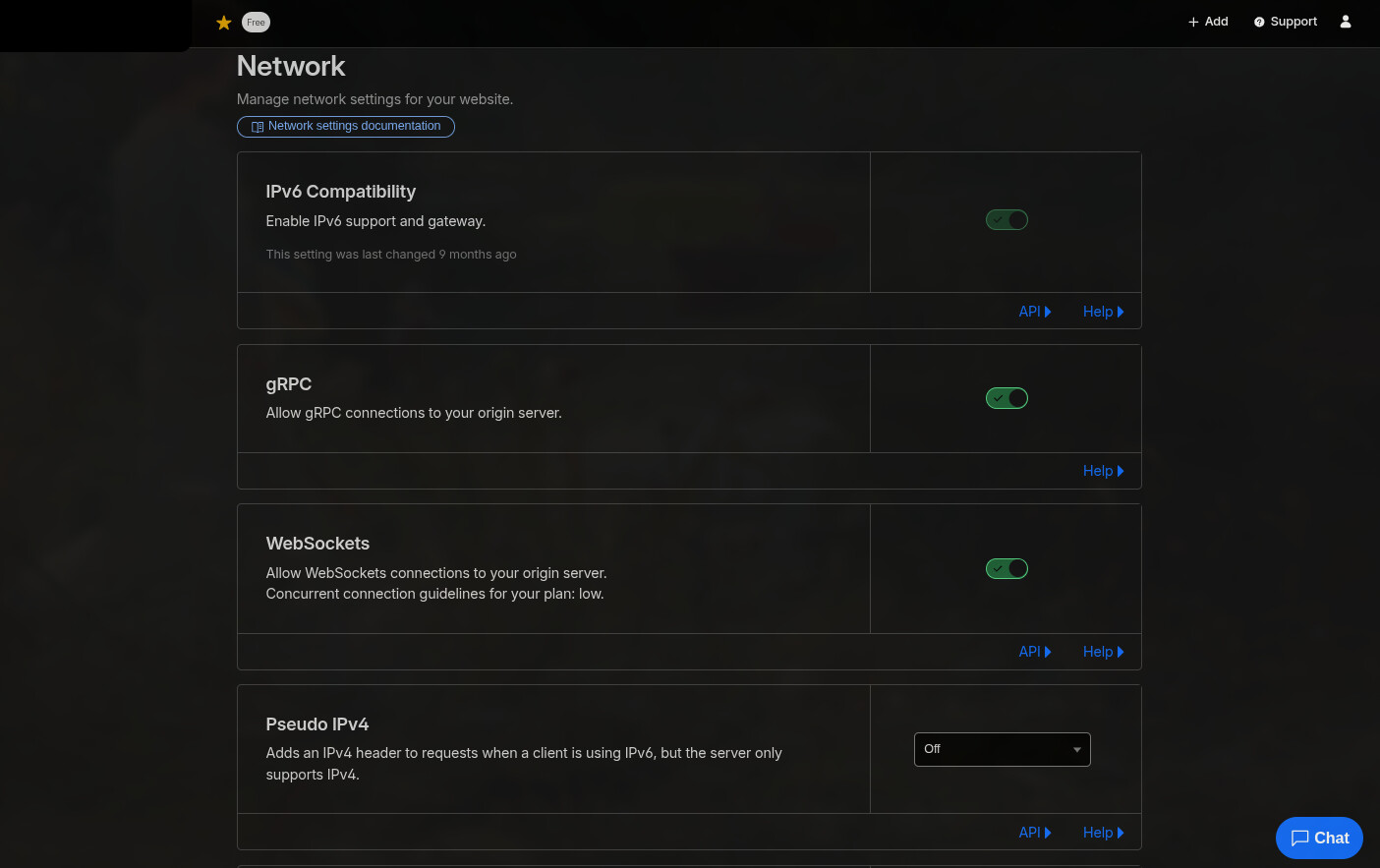
So that your devices connect properly using STUN. I was facing this problem before and discovered this option today which fixed my problem when using Cloudflare Proxy/Orange Cloud