I was curious, why are you doing the UFW rules if Docker is exposing the ports? Docker manipulates the iptables rules from what I understand which I think overrides UFW. Like I have UFW denying everything besides SSH and it all seems to work okay.
I haven’t been doing this very long so just wanted to make sure I wasn’t missing something.
This is correct. Docker uses its own iptable chains. They are connected to the nat table and bypass the INPUT chain. Not sure if ufw actually does something clever about it. I use raw iptables for my firewall
I prefer iptables, but saying that
how they interact:
when UFW is enabled, it translates user-friendly UFW commands into iptables rules that are applied to the system. essentially, UFW acts as a layer on top of iptables, making firewall management easier for users.
superseding behavior:
when both UFW and iptables are active (which is not a recommended setup), UFWs rules will take precedence because UFW is managing the firewall settings that are eventually passed to iptables. Its best practice to use either UFW or iptables, not both, to avoid conflicts and confusion.
what is port 9000 used for?
i what relation we are talking here??
Not needed. ufw port 9000. I think I was experimenting with authentik (which needed port 9000) when I wrote this.
mablu
November 13, 2025, 1:02pm
28
Used the guide and almost everything works so far. Thank you for that!
If I try to apply the ipwhitelist middleware it doesn’t work and in my Traefik Logs I get the following warning:
WRN Middleware “ip-whitelist@file” of type IPWhiteList is deprecated, please use IPAllowList instead.
Does anyone else have the same issue? If I apply the ipallowlist middleware, everything works as expected.
its for old traefik installation.ipWhiteList middleware in traefik was renamed to ipAllowListOctober 2019 and now no longer works for v3 if you are using that
lioh2
April 5, 2026, 3:41am
30
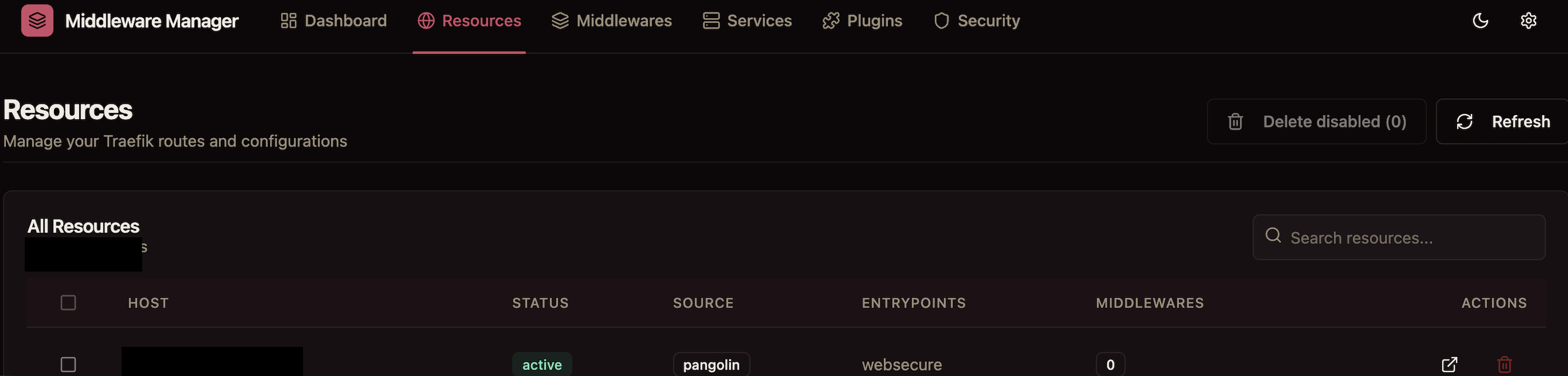
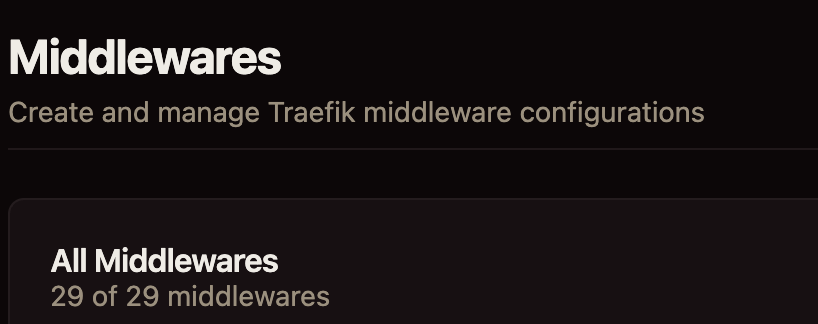
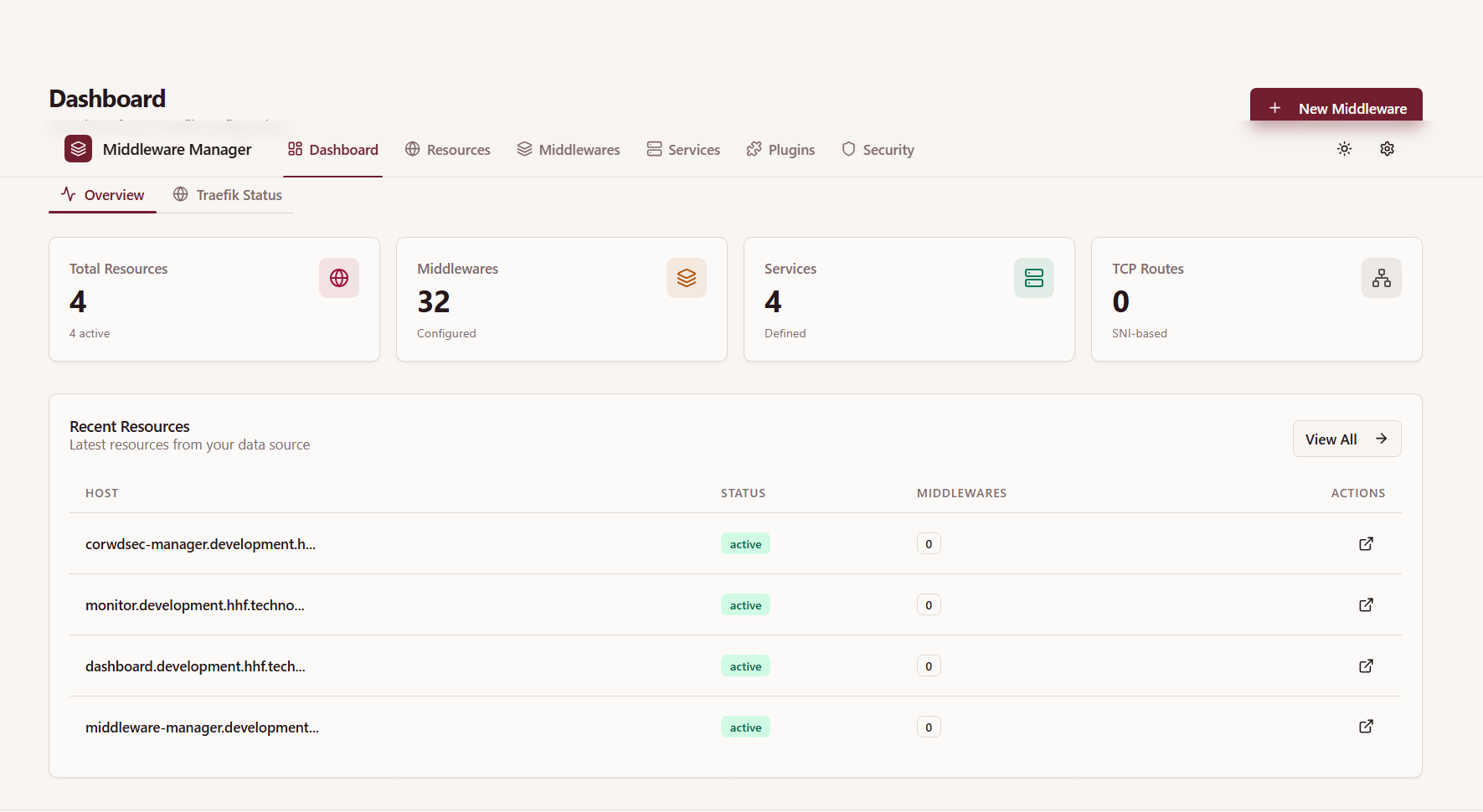
Under resources, zero middlewares are recognized. However under middlewares, 29 are recognized. Do I need add middlewares to resources or is it just displaying incorrect information?
name: pangolin
networks:
    default:
        driver: bridge
        enable_ipv6: true
        name: pangolin
        ipam:
            config:
                - subnet: 172.20.0.0/16
services:
    crowdsec:
        command: -t
        container_name: crowdsec
        environment:
            COLLECTIONS: crowdsecurity/traefik crowdsecurity/appsec-virtual-patching crowdsecurity/appsec-generic-rules
            ENROLL_INSTANCE_NAME: pangolin-crowdsec
            ENROLL_TAGS: docker
            GID: "1000"
            PARSERS: crowdsecurity/whitelists
            GEOAPIFY_API_KEY:
            DISCORD_WEBHOOK_ID:
            DISCORD_WEBHOOK_TOKEN:
            CROWDSEC_CTI_API_KEY:
        healthcheck:
            interval: 10s
            retries: 3
            start_period: 30s
            test:
                - CMD
                - cscli
                - lapi
                - status
            timeout: 5s
        image: docker.io/crowdsecurity/crowdsec:latest
        labels:
            - traefik.enable=false
        networks:
            default:
                ipv4_address: 172.20.0.47
        ports:
            - 6060:6060
        restart: unless-stopped
        volumes:
            - ./config/crowdsec:/etc/crowdsec
            - ./config/crowdsec/db:/var/lib/crowdsec/data
            - ./config/traefik/logs:/var/log/traefik
    gerbil:
        cap_add:
            - NET_ADMIN
            - SYS_MODULE
        command:
            - --reachableAt=http://gerbil:3004
            - --generateAndSaveKeyTo=/var/config/key
            - --remoteConfig=http://pangolin:3001/api/v1/
        container_name: gerbil
        depends_on:
            pangolin:
                condition: service_healthy
        image: docker.io/fosrl/gerbil:1.3.0
        ports:
            - 51820:51820/udp
            - 21820:21820/udp
            - 443:443
            - 80:80
        restart: unless-stopped
        networks:
            default:
                ipv4_address: 172.20.0.48
        volumes:
            - ./config/:/var/config
    pangolin:
        container_name: pangolin
        healthcheck:
            interval: 10s
            retries: 15
            test:
                - CMD
                - curl
                - -f
                - http://localhost:3001/api/v1/
            timeout: 10s
        image: docker.io/fosrl/pangolin:ee-1.16.2
        restart: unless-stopped
        networks:
            default:
                ipv4_address: 172.20.0.49
        volumes:
            - ./config:/app/config
    traefik:
        command:
            - --configFile=/etc/traefik/traefik_config.yml
        container_name: traefik
        depends_on:
            crowdsec:
                condition: service_healthy
            pangolin:
                condition: service_healthy
        image: docker.io/traefik:v3.6
        network_mode: service:gerbil
        restart: unless-stopped
        volumes:
            - ./config/traefik:/etc/traefik
            - ./config/letsencrypt:/letsencrypt
            - ./config/traefik/logs:/var/log/traefik
    middleware-manager:
        image: hhftechnology/middleware-manager:dev
        container_name: middleware-manager
        restart: unless-stopped
        volumes:
            - ./data:/data
            - ./middleware-manager:/app/config
            - ./config/traefik:/etc/traefik
            - ./middleware-manager/templates.yaml:/app/config/templates.yaml # Optional custom middleware templates
            - ./middleware-manager/templates_services.yaml:/app/config/templates_services.yaml # Optional custom service templates
        environment:
            - TRAEFIK_CONF_DIR=/conf
            - DB_PATH=/data/middleware.db
            - PORT=3456
            - TRAEFIK_STATIC_CONFIG_PATH=/etc/traefik/traefik_config.yml
            - ACTIVE_DATA_SOURCE=pangolin
            - PANGOLIN_API_URL=http://pangolin:3001/api/v1
        depends_on:
            pangolin:
                condition: service_healthy
        networks:
            default:
                ipv4_address: 172.20.0.50   # ? your fixed IP
        healthcheck:
            interval: 10s
            retries: 15
            test:
                - CMD
                - curl
                - -f
                - http://localhost:3456/api/traefik-config
            timeout: 10s
        ports:
            - "3456:3456"
    error-pages:
        image: ghcr.io/tarampampam/error-pages:3
        container_name: error-pages
        restart: unless-stopped
        environment:
            TEMPLATE_NAME: connection # Choose from available templates: ghost, connection, shuffle, etc.
        networks:
            default:
                ipv4_address: 172.20.0.51
        labels:
            traefik.enable: true
traefik.yml
accessLog:
  bufferingSize: 100
  fields:
    defaultMode: drop
    headers:
      defaultMode: drop
      names:
        Authorization: redact
        Content-Type: keep
        Cookie: redact
        User-Agent: keep
        X-Forwarded-For: keep
        X-Forwarded-Proto: keep
        X-Real-Ip: keep
    names:
      ClientAddr: keep
      ClientHost: keep
      DownstreamContentSize: keep
      DownstreamStatus: keep
      Duration: keep
      RequestMethod: keep
      RequestPath: keep
      RequestProtocol: keep
      RetryAttempts: keep
      ServiceName: keep
      StartUTC: keep
      TLSCipher: keep
      TLSVersion: keep
  filePath: /var/log/traefik/access.log
  filters:
    minDuration: 100ms
    retryAttempts: true
    statusCodes:
      - 200-299
      - 400-499
      - 500-599
  format: json
api:
  dashboard: true
  insecure: true
certificatesResolvers:
  letsencrypt:
    acme:
      caServer: https://acme-v02.api.letsencrypt.org/directory
      email: discourse@hhf.technology
      httpChallenge:
        entryPoint: web
      storage: /letsencrypt/acme.json
entryPoints:
  web:
    address: :80
  websecure:
    address: :443
    http:
      encodedCharacters:
        allowEncodedQuestionMark: true
        allowEncodedSlash: true
      tls:
        certResolver: letsencrypt
    transport:
      respondingTimeouts:
        readTimeout: 30m
experimental:
  plugins:
    badger:
      moduleName: github.com/fosrl/badger
      version: v1.3.1
    crowdsec:
      moduleName: github.com/maxlerebourg/crowdsec-bouncer-traefik-plugin
      version: v1.4.4
    mtlswhitelist:
      moduleName: github.com/smerschjohann/mtlswhitelist
      version: v0.4.2

log:
  compress: true
  format: json
  level: INFO
  maxAge: 3
  maxBackups: 3
  maxSize: 100
ping:
  entryPoint: web
providers:
  file:
    filename: /etc/traefik/dynamic_config.yml
  http:
    endpoint: http://172.20.0.50:3456/api/v1/traefik-config
    pollInterval: 5s
serversTransport:
  insecureSkipVerify: true
then you can use template.yml to load your middleware