UFW, a firewall used in Linux distributions , was developed to simplify the configuration of the IPtables firewall.
It is also worth remembering that UFW is disabled by default, so you need to enable it after installation.
From this point on, we will continue our article as Debian server for our operating system and MaxMind DB for GeoIP Database.
MaxMind is a provider of technology used to geolocate IP addresses on the internet, allowing developers and businesses to use this technology to optimize their products.
Installing UFW on Debian and CentOS servers
UFW Installation for Debian:
On Debian servers, you can install the UFW package directly from the main repo:
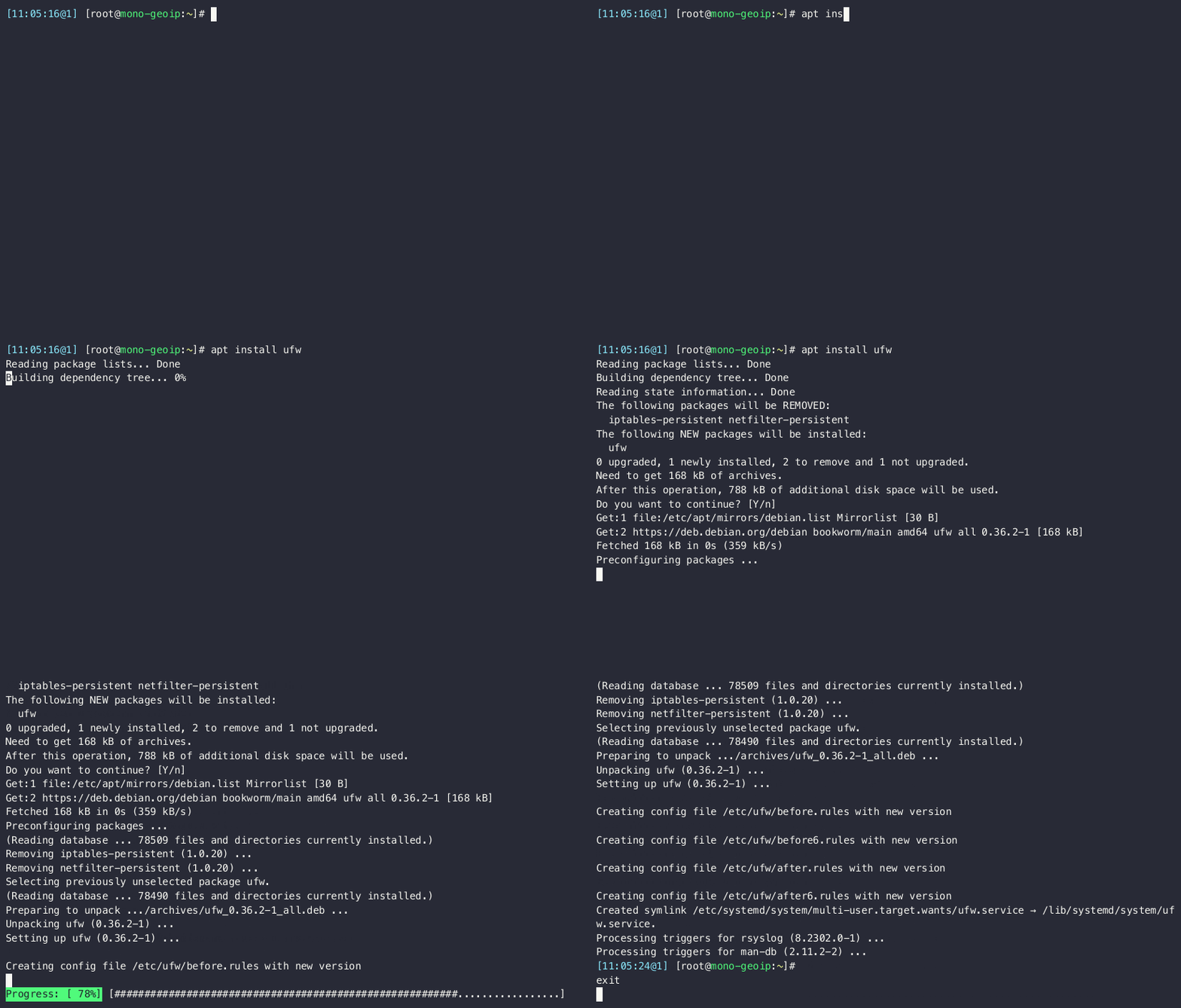
UFW Installation for CentOS:
Since UFW is not available in the default repos in RedHat- based distributions, the EPEL repo needs to be added.
After adding the EPEL repo, UFW installation can be performed.
- https://docs.fedoraproject.org/en-US/epel/
- https://access.redhat.com/documentation/en-us/red_hat_enterprise_linux/7/html/security_guide/sec-using_firewalls
Basic Use of UFW
Using UFW , you can perform operations such as opening or closing specific ports, allowing or blocking specific IP addresses, etc.
> For example, to open port 21 you can use the ufw allow 21 command, to close it you can use the ufw deny 21 command
You can use the ufw allow from command to whitelist an IP address or IP block and avoid restrictions.
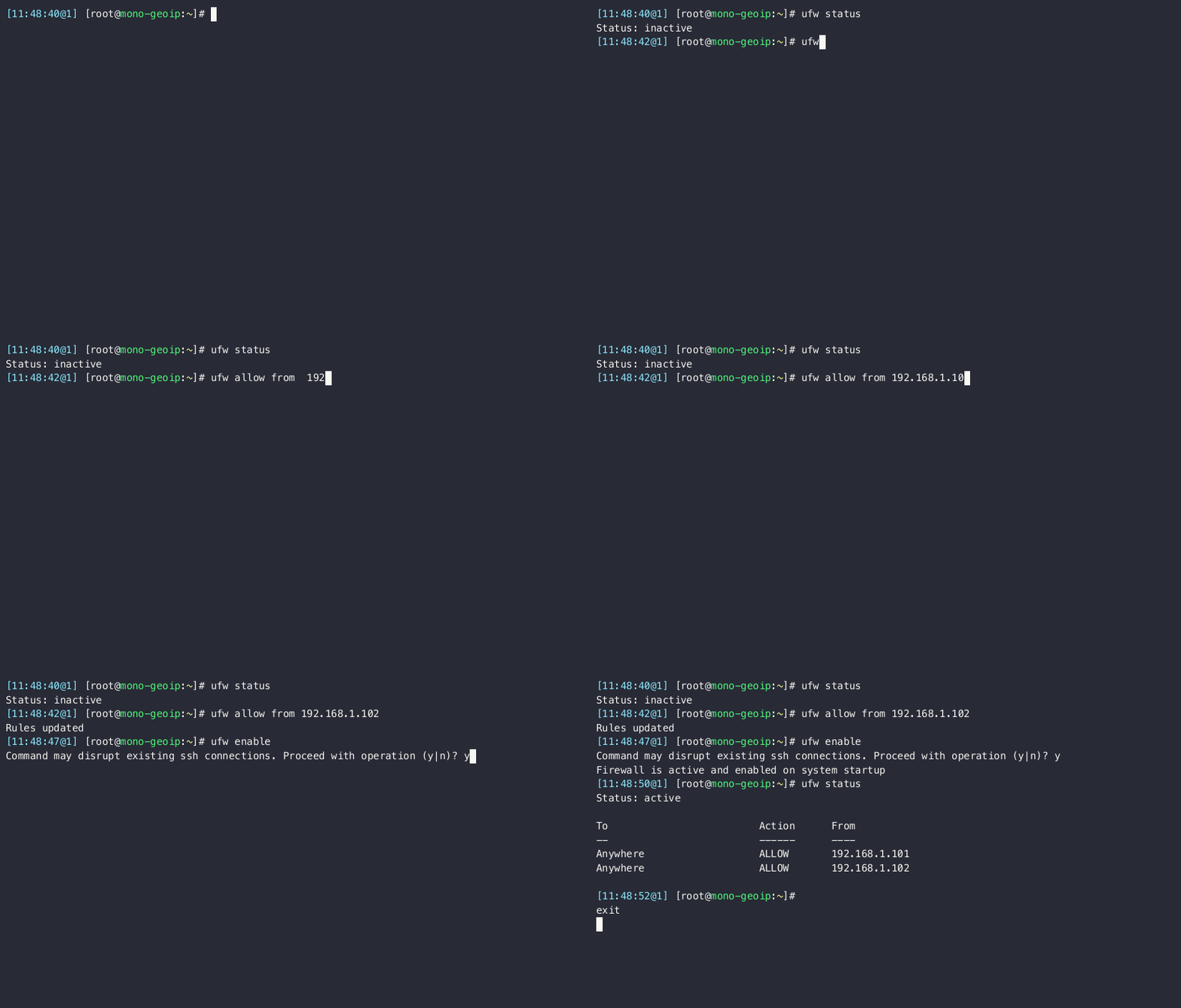
> To avoid connection interruptions, you can whitelist your IP address before activating UFW, which is inactive after installation .
After the rules are added, you can activate UFW with the ufw enable command.
Example:
GeoIP Configuration
Installation of Required Packages:
To configure GeoIP based rules, a number of packages need to be installed, these packages include plugins for CSV reading and Iptables.
apt install perl xtables-addons-common libtext-csv-xs-perl libmoosex-types-netaddr-ip-perl
We will also create a directory to hold and compile the CSV files we will retrieve from MaxMind DB:
mkdir /usr/share/xt_geoip
MaxMind GeoIP CSV download
Since the database prepared by MaxMind in CSV format is constantly renewed, we will download it with a script and transfer the files to the relevant directory.
Script:
#!/bin/bash
LICENSE_KEY="your_license_key"
url="https://download.maxmind.com/app/geoip_download?edition_id=GeoLite2-Country-CSV&license_key=$LICENSE_KEY&suffix=zip"
local_zip_path="/usr/share/xt_geoip/GeoLite2-Country-CSV.zip"
curl -o "$local_zip_path" "$url"
unzip "$local_zip_path" -d "/usr/share/xt_geoip/"
extracted_folder=$(ls /usr/share/xt_geoip/ | grep 'GeoLite2-Country-CSV_')
mv "/usr/share/xt_geoip/${extracted_folder}"/* /usr/share/xt_geoip/
rm -r "/usr/share/xt_geoip/${extracted_folder}/"
rm "$local_zip_path"
You can get the current GeoIP Database by entering your license key in the LICENSE_KEY variable in the above script .
Since the database is constantly being renewed, it is useful to run the script with a Cronjob. If not, you may experience access problems for new IPs added to the database.
License details: https://support.maxmind.com/hc/en-us/articles/4407111582235-Generate-a-License-Key
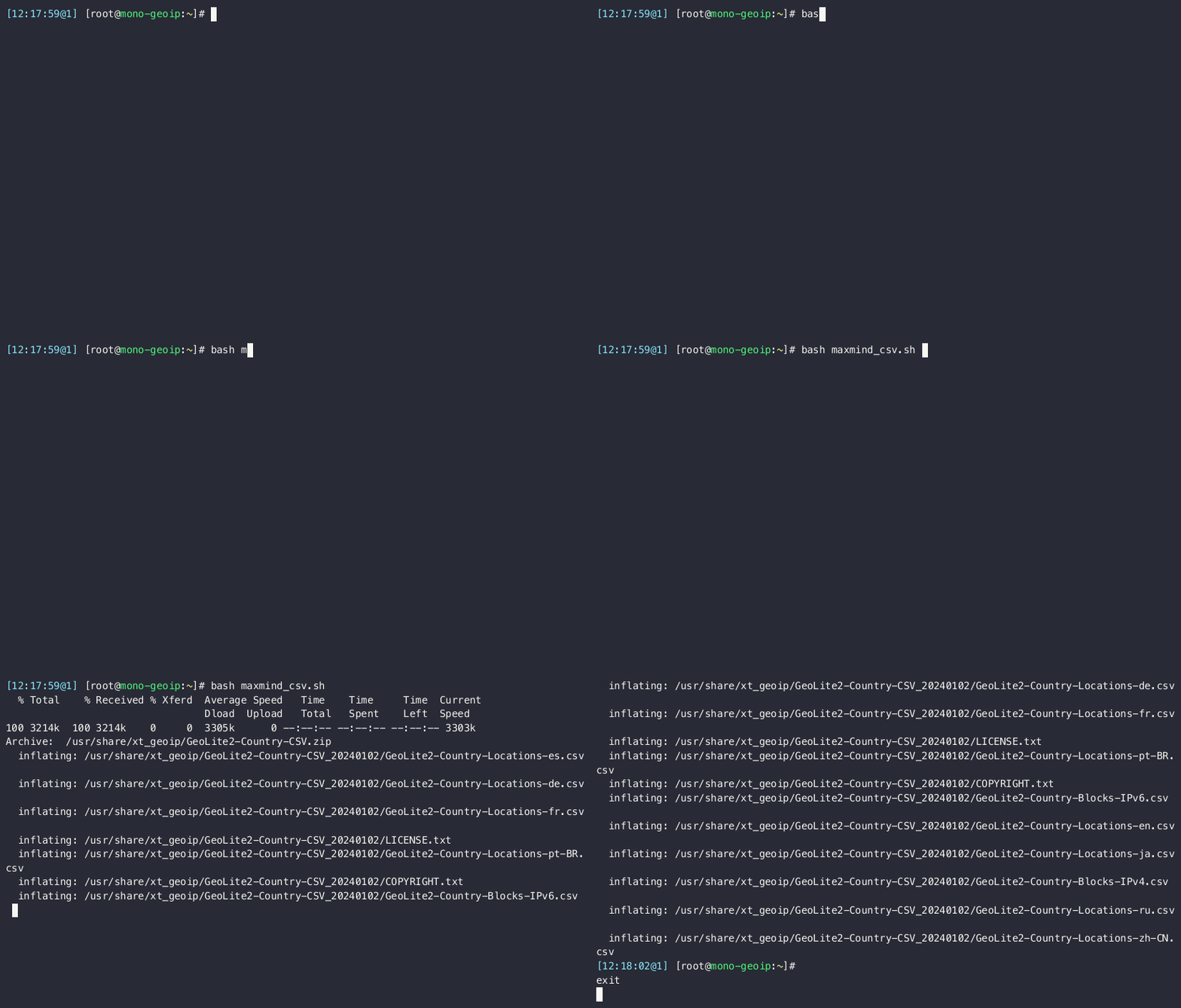
Running the script:
Building the database for UFW
In order to make the Database in CSV format usable with UFW, the build process must be done:
/usr/libexec/xtables-addons/xt_geoip_build_maxmind -D /usr/share/xt_geoip/ -S /usr/share/xt_geoip/
Here we need to explain the bash code that runs:
/usr/libexec/xtables-addons/xt_geoip_build_maxmind binary allows GeoIP Database to be built specifically for MaxMind. Similarly, if a different database is to be used, / usr/libexec/xtables-addons/xt_geoip_build binary can be used.
The -D parameter is the Destination, i.e. where the CSV files will be processed.
The -S parameter Source gets information from where the CSV files will be read.
Adding Plugin for GeoIP to Kernel
We make the xtables plugin we added for GeoIP-based UFW rules available by introducing it to the Kernel:
modprobe xt_geoip
Adding Rules for GeoIP
Once the configurations are completed, you can add GeoIP rules as per your needs.
It is useful to mention an important point here. When making GeoIP- based rules in UFW, we add the following files to make these processes permanent and to manage them easily:
- /etc/ufw/before.rules 2) /etc/ufw/before6.rules
Here, the first file contains the rules to be processed for IPV4, and the second file contains the rules to be processed for IPV6.
IMPORTANT NOTE:
If you are going to restrict the port and the IP address or block you will be providing the transaction with will be outside this condition, you need to add your IP to the Whitelist in the same files before the GeoIP-based rules. Similarly, you need to add the rules to be added in these files before the COMMIT line at the end of the file.
For example: You will give the SSH port only to Turkish IPs, but an SSH connection to this server needs to be made from an IP address or block outside of Turkey.
To do this, the following lines need to be added:
-A ufw-before-input -s 192.168.1.101 -j ACCEPT -A ufw-before-input -m geoip -p tcp –dport 22 –src-cc TR -j ACCEPT
In the first line:
The -s parameter is the IP where the permission is defined for all ports, the -j parameter is the permission that you will apply to the IP address you have given.
Here, the ACCEPT command means that the defined IP address will be allowed.
In the second line:
The name of the module we will use with the -m parameter, the type of port (TCP/UDP/HTTP/s etc.) with the -p parameter , the port number on which the rule will be defined, the -src-cc parameter, the country information from which the source comes, and the -j parameter, the information on whether this defined information will be allowed or not.
After these additions, the final appearance of the /etc/ufw/before.rules file should be as follows:
-A ufw-before-input -s 192.168.1.101 -j ACCEPT
-A ufw-before-input -m geoip -p tcp --dport 22 --src-cc TR -j ACCEPT
# don't delete the 'COMMIT' line or these rules won't be processed
COMMIT
In summary, permissions were defined for 22 SSH ports to allow access only to Singapore IPs, and for 192.168.1.101, permissions were defined to allow access to all ports.
If it is necessary to overwrite or go beyond the rules specifically based on GeoIP, the following steps can be followed:
For example, port 22 (SSH) was only allowed to Singapore IPs, here we will go beyond this rule and allow an IP located abroad.
For this, we will add before the GeoIP rule to the /etc/ufw/before.rules and /etc/ufw/before6.rules files.
-A ufw-before-input -p tcp --dport 22 -s <Foreign IP> -j ACCEPT
-A ufw-before-input -m geoip -p tcp --dport 22 --src-cc TR -j ACCEPT
# don't delete the 'COMMIT' line or these rules won't be processed
COMMIT
Afterwards, the rule is defined with ufw reload .
Similarly, similar operations can be performed on an IP that is among the Singapore IPs but is desired to be blocked:
-A ufw-before-input -p tcp --dport 22 -s <Singapore IP to be blocked> -j DROP
-A ufw-before-input -m geoip -p tcp --dport 22 --src-cc TR -j ACCEPT
# don't delete the 'COMMIT' line or these rules won't be processed
COMMIT
Here, it is necessary to pay attention to writing the specific rules to be overwritten before the GeoIP-based rule.
If you would like to access more detailed information and improve your knowledge, the following resources are for you.
– https://people.netfilter.org/peejix/geoip/howto/geoip-HOWTO-3.html
– https://github.com/tinti/xtables-addons
– https://www.maxmind.com/en /geoip-databases