Its really eazy to set up Newt in Coolify to connect with your Pangolin VPS.
Here’s how to deploy Newt in Coolify:
-
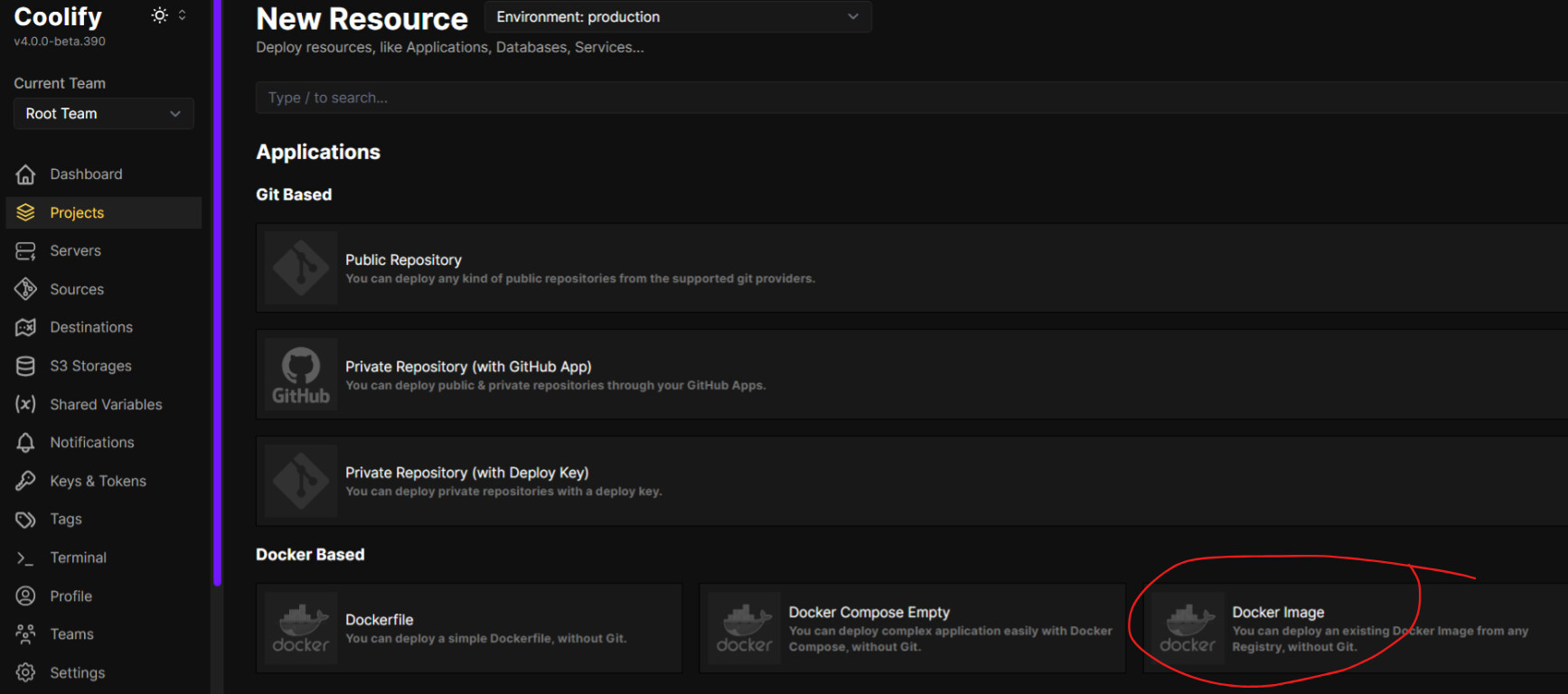
In Coolify, create a new service and select “Docker” as the deployment type
-
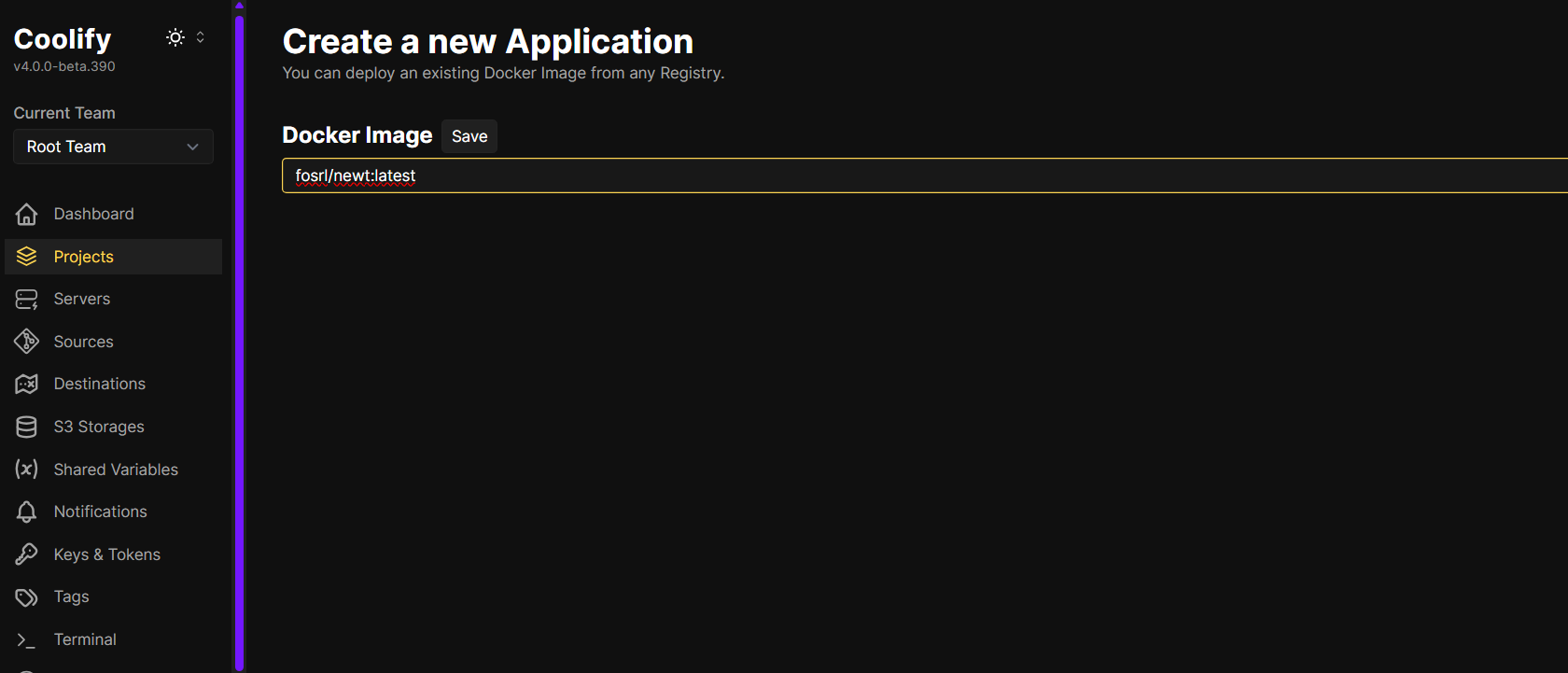
Use the official Newt Docker image:
fosrl/newt:latest
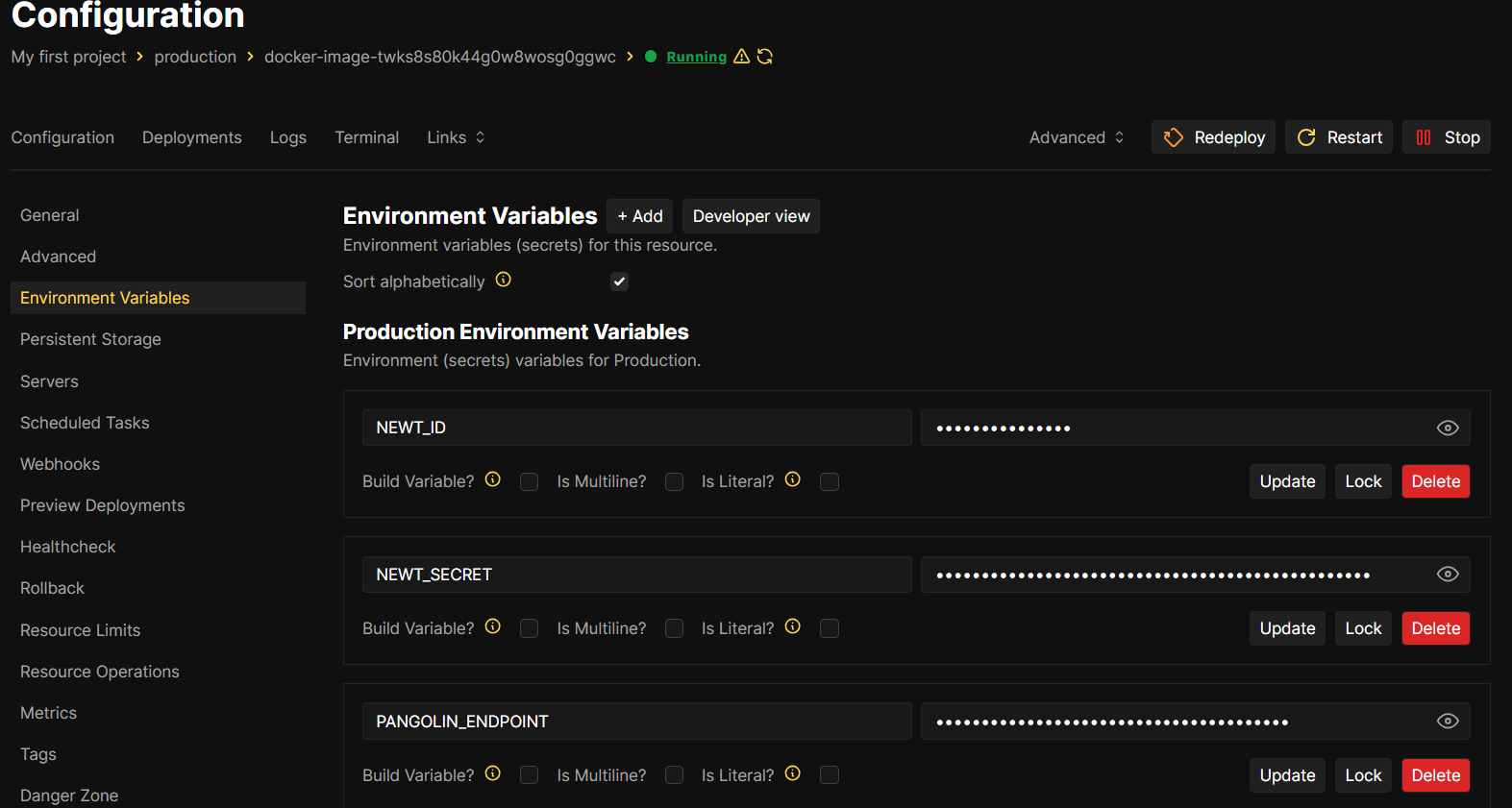
- Configure the following environment variables in Coolify (you’ll get these values from your Pangolin dashboard when creating a new site):
PANGOLIN_ENDPOINT=https://your-pangolin-domain.com
NEWT_ID=your-newt-id
NEWT_SECRET=your-newt-secret
4. Set the restart policy to “Always” to ensure Newt automatically restarts if it crashes
- No ports need to be exposed since Newt creates outbound connections to your Pangolin VPS
Before deploying:
- Log into your Pangolin dashboard
- Create a new site using the Newt connection method
- Copy the provided Newt ID and secret to use in your Coolify environment variables
Make sure your Pangolin VPS:
- Has ports 80/443 open for the HTTPS connection
- Has port 51820 (UDP) open for the WireGuard tunnel
- Has a valid SSL certificate for the domain
You can opt for SSL termination on coolify as well as Pangolin
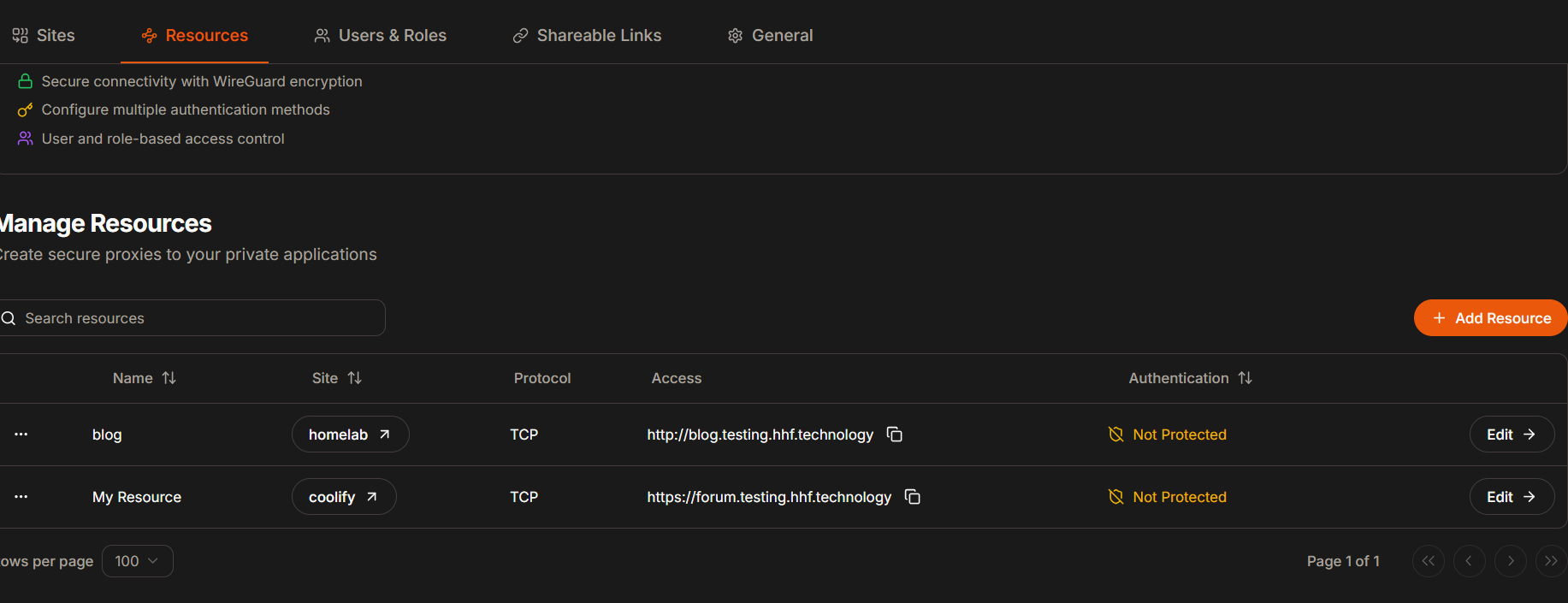
This example will show how to expose coolify dashboard to internet.
In Pangolin dashboard:
- Create a new Resource
- Name it (e.g., “Coolify”)
- Choose a subdomain (e.g., “coolify.yourdomain.com”)
- Select your “Home Lab” site
- Under Connectivity:
- Add target:
- Method: HTTP
- IP Address: Where Coolify is running (localhost or Docker network IP)
- Port: 8000 (Coolify’s default port)
- Add target:
- Under Authentication:
- Keep Platform SSO enabled (recommended) if you
Important considerations:
- Coolify uses port 8000 by default
- Ensure WebSocket connections are allowed as Coolify requires them
- Keep both Pangolin’s authentication and Coolify’s built-in authentication enabled
- The connection is secured via WireGuard tunnel
- No port forwarding needed on your home network
Once configured, you can access Coolify at https://coolify.yourdomain.com (or your chosen subdomain).