Comprehensive Guide to Secure Access Gateway with Newt, Cloudflare, and Tailscale

In today’s interconnected world, securely accessing your services and applications is more important than ever. This guide provides a detailed walkthrough of our Secure Access Gateway docker image that combines three powerful technologies - Pangolin’s Newt client, Cloudflare Tunnels, and Tailscale VPN - to create a flexible, secure, and robust solution for accessing your services.
Table of Contents
Introduction
The Secure Access Gateway (SAG) integration provides a unified approach to securely access your services through multiple methods:
- Pangolin Newt: A secure tunneling solution that allows access without port forwarding
- Cloudflare Tunnels: Provides secure public access with Cloudflare’s global network
- Tailscale VPN: Facilitates private mesh network access with zero-config setup
This integration allows you to use any or all of these technologies simultaneously, providing redundant access paths and flexibility in how you expose and secure your services.
Core Components
Pangolin Newt
Newt is a lightweight client designed to establish secure tunnels to a Pangolin server, allowing secure remote access to services without requiring port forwarding. Key features include:
- Zero port-forwarding requirements
- End-to-end encryption
- Authentication via ID and secret
- Minimal resource requirements
Cloudflare Tunnels
Cloudflare Tunnels (formerly Argo Tunnel) creates secure, outbound-only connections to Cloudflare’s edge, enabling:
- Public access to internal services without public IP addresses
- DDoS protection via Cloudflare’s global network
- SSL/TLS encryption and authentication
- Integration with Cloudflare Zero Trust
Tailscale
Tailscale is a modern VPN built on WireGuard® that creates a secure mesh network between your devices:
- Zero configuration networking
- End-to-end encryption
- NAT traversal capabilities
- Granular access controls
Getting Started
Prerequisites
Before you begin, you’ll need:
- Docker and Docker Compose installed on your host
- For Newt: A Pangolin deployment on a VPS with ID and secret
- For Cloudflare: A Cloudflare account with a tunnel token or ID
- For Tailscale: A Tailscale account with an auth key
Quick Start
The fastest way to get started is to use our pre-built Docker image:
# Pull the latest image
docker pull hhftechnology/newt-cloudflare-tailscale-integration:latest

# Run with basic configuration
docker run -d \
  --name secure-proxy \
  --cap-add=NET_ADMIN \
  -e ENABLE_NEWT=true \
  -e NEWT_ID=your-newt-id \
  -e NEWT_SECRET=your-newt-secret \
  -e PANGOLIN_ENDPOINT=https://your-pangolin-server.com \
  hhftechnology/newt-cloudflare-tailscale-integration:latest
For a more complete setup, a Docker Compose file is recommended.
Configuration Guide
Environment Variables
The integration is primarily configured through environment variables:
Core Configuration
# Feature Flags
ENABLE_NEWT=true|false           # Enable Newt client
ENABLE_CLOUDFLARE=true|false     # Enable Cloudflare Tunnels
ENABLE_TAILSCALE=true|false      # Enable Tailscale VPN

# Newt Configuration
NEWT_ID=your-newt-id             # Your Newt client ID
NEWT_SECRET=your-newt-secret     # Your Newt client secret
PANGOLIN_ENDPOINT=https://example.com  # Your Pangolin server endpoint

# Cloudflare Configuration
CLOUDFLARE_TUNNEL_TOKEN=your-tunnel-token  # Cloudflare tunnel token
# OR
CLOUDFLARE_TUNNEL_ID=your-tunnel-id        # Existing tunnel ID

# Tailscale Configuration
TAILSCALE_AUTH_KEY=tskey-auth-xxxxx      # Your Tailscale auth key
TAILSCALE_HOSTNAME=your-hostname         # Hostname for this node
TARGET_PORTS=3000,8080,9000             # Ports to forward via Tailscale
Advanced Tailscale Options
TAILSCALE_ACCEPT_DNS=true|false         # Accept DNS settings from Tailscale
TAILSCALE_ACCEPT_ROUTES=true|false      # Accept subnet routes from other nodes
TAILSCALE_ADVERTISE_EXIT_NODE=true|false # Advertise this node as an exit node
TAILSCALE_ADVERTISE_ROUTES=10.0.0.0/24  # Subnets to advertise
TAILSCALE_SSH=true|false                # Enable Tailscale SSH
Understanding Newt Configuration
For Newt to work correctly, you need three key pieces of information:
- NEWT_ID: The unique identifier for your Newt client
- NEWT_SECRET: The authentication secret for your Newt client
- PANGOLIN_ENDPOINT: The URL of your Pangolin server
The Newt client establishes a secure tunnel to your Pangolin server, which then handles routing to your services. It’s important to note that the Newt client accepts positional arguments in the following order:
newt [NEWT_ID] [NEWT_SECRET] [PANGOLIN_ENDPOINT]
Any additional configuration for Newt is done via flags:
newt [NEWT_ID] [NEWT_SECRET] [PANGOLIN_ENDPOINT] -dns 1.1.1.1 -log-level DEBUG
The supported flags include:
-dns: DNS server to use (default “8.8.8.8”)-log-level: Log level (DEBUG, INFO, WARN, ERROR, FATAL) (default “INFO”)-mtu: MTU to use (default “1280”)-updown: Path to updown script to be called when targets are added or removed-version: Print the version
Understanding Cloudflare Tunnel Configuration
Cloudflare Tunnels can be configured in two ways:
- Using a tunnel token: The simplest method, created through the Cloudflare Zero Trust dashboard
- Using a tunnel ID: For existing tunnels created through the Cloudflare dashboard or CLI
The tunnel connects to Cloudflare’s edge network and provides public access to your services based on the configuration you set in the Cloudflare dashboard.
Understanding Tailscale Configuration
Tailscale requires an auth key, which can be:
- A reusable key (with expiration)
- A one-time key
- An ephemeral key (for temporary nodes)
The TARGET_PORTS variable is particularly important as it defines which ports should be forwarded from the Tailscale network to your internal services.
Usage Scenarios
Basic Scenarios
1. Newt Only - Secure Access via Pangolin
This scenario is ideal for simple remote access to internal services through a Pangolin server:
services:
  secure-proxy:
    image: hhftechnology/newt-cloudflare-tailscale-integration:latest
    environment:
      - ENABLE_NEWT=true
      - ENABLE_CLOUDFLARE=false
      - ENABLE_TAILSCALE=false
      - NEWT_ID=your-newt-id
      - NEWT_SECRET=your-newt-secret
      - PANGOLIN_ENDPOINT=https://your-pangolin-server.com
    restart: unless-stopped

  webapp:
    image: nginx:alpine
    expose:
      - "80"
2. Cloudflare Only - Public Access with Zero Trust
This scenario works well for public-facing applications that need DDoS protection and global distribution:
services:
  secure-proxy:
    image: hhftechnology/newt-cloudflare-tailscale-integration:latest
    environment:
      - ENABLE_NEWT=false
      - ENABLE_CLOUDFLARE=true
      - ENABLE_TAILSCALE=false
      - CLOUDFLARE_TUNNEL_TOKEN=your-tunnel-token
    volumes:
      - ./cloudflared:/etc/cloudflared
    restart: unless-stopped

  webapp:
    image: nginx:alpine
    expose:
      - "80"
3. Tailscale Only - Private Network Access
This scenario is perfect for internal tools that should only be accessible within your private network:
version: '3'
services:
  secure-proxy:
    image: hhftechnology/newt-cloudflare-tailscale-integration:latest
    cap_add:
      - NET_ADMIN
    environment:
      - ENABLE_NEWT=false
      - ENABLE_CLOUDFLARE=false
      - ENABLE_TAILSCALE=true
      - TAILSCALE_AUTH_KEY=tskey-auth-xxxxx-xxxxxxxxxxxxx
      - TAILSCALE_HOSTNAME=internal-dashboard
      - TARGET_PORTS=3000
    volumes:
      - ./data/tailscale:/var/lib/tailscale
    devices:
      - /dev/net/tun:/dev/net/tun

  dashboard:
    image: grafana/grafana
    expose:
      - "3000"
Advanced Scenarios
4. Dual Access - Newt and Cloudflare
This scenario provides redundant access paths through both Newt and Cloudflare:
services:
  secure-proxy:
    image: hhftechnology/newt-cloudflare-tailscale-integration:latest
    environment:
      - ENABLE_NEWT=true
      - ENABLE_CLOUDFLARE=true
      - ENABLE_TAILSCALE=false
      - NEWT_ID=your-newt-id
      - NEWT_SECRET=your-newt-secret
      - PANGOLIN_ENDPOINT=https://your-pangolin-server.com
      - CLOUDFLARE_TUNNEL_TOKEN=your-tunnel-token
    volumes:
      - ./cloudflared:/etc/cloudflared
    restart: unless-stopped

  webapp:
    image: nginx:alpine
    expose:
      - "80"
5. Complete Integration - All Three Methods
The ultimate setup with maximum flexibility and redundancy:
services:
  secure-proxy:
    image: hhftechnology/newt-cloudflare-tailscale-integration:latest
    cap_add:
      - NET_ADMIN
    environment:
      - ENABLE_NEWT=true
      - ENABLE_CLOUDFLARE=true
      - ENABLE_TAILSCALE=true
      - NEWT_ID=your-newt-id
      - NEWT_SECRET=your-newt-secret
      - PANGOLIN_ENDPOINT=https://your-pangolin-server.com
      - CLOUDFLARE_TUNNEL_TOKEN=your-tunnel-token
      - TAILSCALE_AUTH_KEY=tskey-auth-xxxxx-xxxxxxxxxxxxx
      - TAILSCALE_HOSTNAME=hybrid-app
      - TARGET_PORTS=80,9000,5432
    volumes:
      - ./data/tailscale:/var/lib/tailscale
      - ./data/cloudflared:/etc/cloudflared
    devices:
      - /dev/net/tun:/dev/net/tun

  api:
    image: node:alpine
    expose:
      - "80"  # Public API via all methods

  management:
    image: portainer/portainer-ce
    expose:
      - "9000"  # Management UI via Tailscale and Newt

  database:
    image: postgres:alpine
    expose:
      - "5432"  # Database access via Tailscale and Newt
Production Environments
6. Microservices Architecture
For complex microservices with different access patterns:
services:
  secure-proxy:
    image: hhftechnology/newt-cloudflare-tailscale-integration:latest
    cap_add:
      - NET_ADMIN
    environment:
      - ENABLE_NEWT=true
      - ENABLE_CLOUDFLARE=true
      - ENABLE_TAILSCALE=true
      - NEWT_ID=your-newt-id
      - NEWT_SECRET=your-newt-secret
      - PANGOLIN_ENDPOINT=https://your-pangolin-server.com
      - CLOUDFLARE_TUNNEL_TOKEN=your-tunnel-token
      - TAILSCALE_AUTH_KEY=tskey-auth-xxxxx-xxxxxxxxxxxxx
      - TAILSCALE_HOSTNAME=microservices
      - TARGET_PORTS=8080,9090,3000,5432
    volumes:
      - ./data/tailscale:/var/lib/tailscale
      - ./data/cloudflared:/etc/cloudflared
    devices:
      - /dev/net/tun:/dev/net/tun
    restart: unless-stopped
    networks:
      - frontend
      - backend

  gateway:
    image: nginx:alpine
    volumes:
      - ./nginx/conf.d:/etc/nginx/conf.d
    expose:
      - "80"
    networks:
      - frontend

  auth-service:
    image: node:alpine
    expose:
      - "8080"
    networks:
      - backend

  metrics:
    image: prom/prometheus
    volumes:
      - ./prometheus:/etc/prometheus
    expose:
      - "9090"
    networks:
      - backend

  admin-dashboard:
    image: grafana/grafana
    volumes:
      - ./grafana:/var/lib/grafana
    expose:
      - "3000"
    networks:
      - backend

  database:
    image: postgres:alpine
    volumes:
      - ./postgres-data:/var/lib/postgresql/data
    expose:
      - "5432"
    networks:
      - backend

networks:
  frontend:
  backend:
7. High-Availability Setup
For critical environments requiring redundancy:
version: '3.8'
services:
  secure-proxy-1:
    image: hhftechnology/newt-cloudflare-tailscale-integration:latest
    cap_add:
      - NET_ADMIN
    environment:
      - ENABLE_NEWT=true
      - ENABLE_CLOUDFLARE=true
      - ENABLE_TAILSCALE=true
      - NEWT_ID=your-newt-id-1
      - NEWT_SECRET=your-newt-secret-1
      - PANGOLIN_ENDPOINT=https://your-pangolin-server.com
      - CLOUDFLARE_TUNNEL_TOKEN=your-tunnel-token-1
      - TAILSCALE_AUTH_KEY=tskey-auth-xxxxx-1
      - TAILSCALE_HOSTNAME=ha-node-1
      - TARGET_PORTS=80
    volumes:
      - ./data/tailscale-1:/var/lib/tailscale
      - ./data/cloudflared-1:/etc/cloudflared
    devices:
      - /dev/net/tun:/dev/net/tun
    restart: always
    deploy:
      resources:
        limits:
          cpus: '0.5'
          memory: 512M

  secure-proxy-2:
    image: hhftechnology/newt-cloudflare-tailscale-integration:latest
    cap_add:
      - NET_ADMIN
    environment:
      - ENABLE_NEWT=true
      - ENABLE_CLOUDFLARE=true
      - ENABLE_TAILSCALE=true
      - NEWT_ID=your-newt-id-2
      - NEWT_SECRET=your-newt-secret-2
      - PANGOLIN_ENDPOINT=https://your-pangolin-server.com
      - CLOUDFLARE_TUNNEL_TOKEN=your-tunnel-token-2
      - TAILSCALE_AUTH_KEY=tskey-auth-xxxxx-2
      - TAILSCALE_HOSTNAME=ha-node-2
      - TARGET_PORTS=80
    volumes:
      - ./data/tailscale-2:/var/lib/tailscale
      - ./data/cloudflared-2:/etc/cloudflared
    devices:
      - /dev/net/tun:/dev/net/tun
    restart: always
    deploy:
      resources:
        limits:
          cpus: '0.5'
          memory: 512M

  webapp:
    image: nginx:alpine
    volumes:
      - ./nginx/html:/usr/share/nginx/html
    expose:
      - "80"
    deploy:
      replicas: 2
      restart_policy:
        condition: any
Advanced Configuration
Custom Newt Configuration
For customizing Newt behavior, you can set additional flags:
services:
  secure-proxy:
    image: hhftechnology/newt-cloudflare-tailscale-integration:latest
    environment:
      - ENABLE_NEWT=true
      - NEWT_ID=your-newt-id
      - NEWT_SECRET=your-newt-secret
      - PANGOLIN_ENDPOINT=https://your-pangolin-server.com
      - NEWT_DNS=1.1.1.1
      - NEWT_LOG_LEVEL=DEBUG
      - NEWT_MTU=1400
    volumes:
      - ./scripts/custom-updown.sh:/usr/local/bin/custom-updown.sh
    command: ["/entrypoint.sh", "newt", "${NEWT_ID}", "${NEWT_SECRET}", "${PANGOLIN_ENDPOINT}", "-dns", "${NEWT_DNS}", "-log-level", "${NEWT_LOG_LEVEL}", "-mtu", "${NEWT_MTU}", "-updown", "/usr/local/bin/custom-updown.sh"]
Custom Cloudflare Configuration
For more complex Cloudflare tunnel configurations:
services:
  secure-proxy:
    image: hhftechnology/newt-cloudflare-tailscale-integration:latest
    environment:
      - ENABLE_CLOUDFLARE=true
      - CLOUDFLARE_TUNNEL_ID=your-tunnel-id
    volumes:
      - ./cloudflared/config.yml:/etc/cloudflared/config.yml
Example config.yml:
tunnel: your-tunnel-id
credentials-file: /etc/cloudflared/credentials.json

ingress:
  - hostname: app.yourdomain.com
    service: http://webapp:80
  - hostname: api.yourdomain.com
    service: http://api:8080
  - service: http_status:404
Advanced Tailscale Configuration
For complex Tailscale configurations:
services:
  secure-proxy:
    image: hhftechnology/newt-cloudflare-tailscale-integration:latest
    cap_add:
      - NET_ADMIN
    environment:
      - ENABLE_TAILSCALE=true
      - TAILSCALE_AUTH_KEY=tskey-auth-xxxxx-xxxxxxxxxxxxx
      - TAILSCALE_HOSTNAME=gateway
      - TAILSCALE_ADVERTISE_ROUTES=10.10.0.0/16,172.16.0.0/12
      - TAILSCALE_SSH=true
      - TARGET_PORTS=22,80,443,3000,5432
    volumes:
      - ./data/tailscale:/var/lib/tailscale
    devices:
      - /dev/net/tun:/dev/net/tun
Troubleshooting
Common Issues with Newt
Issue: Newt connection failures
Possible causes:
- Incorrect Pangolin endpoint URL
- Invalid credentials
- Network connectivity issues
Diagnostic steps:
# Check Newt version
docker exec secure-proxy newt -version

# Test connectivity to Pangolin server
docker exec secure-proxy curl -v "${PANGOLIN_ENDPOINT}"

# Check Newt logs
docker logs secure-proxy | grep -i newt
Common Issues with Cloudflare
Issue: Cloudflare tunnel fails to connect
Possible causes:
- Invalid tunnel token or ID
- Network connectivity issues
- Incorrect configuration
Diagnostic steps:
# Check cloudflared version
docker exec secure-proxy cloudflared version

# Test connectivity
docker exec secure-proxy cloudflared tunnel info

# Check Cloudflare logs
docker logs secure-proxy | grep -i cloudflared
Common Issues with Tailscale
Issue: Tailscale fails to authenticate
Possible causes:
- Invalid or expired auth key
- Missing capabilities (NET_ADMIN)
- TUN device not available
Diagnostic steps:
# Check if TUN device exists
docker exec secure-proxy ls -l /dev/net/tun

# Check Tailscale status
docker exec secure-proxy tailscale status

# Check iptables rules
docker exec secure-proxy iptables -t nat -L

# Check Tailscale logs
docker logs secure-proxy | grep -i tailscale
Performance Optimization
Resource Allocation
For optimal performance, consider these resource allocations:
services:
  secure-proxy:
    image: hhftechnology/newt-cloudflare-tailscale-integration:latest
    deploy:
      resources:
        limits:
          cpus: '1'
          memory: 512M
        reservations:
          cpus: '0.25'
          memory: 128M
Network Performance
To maximize network throughput:
- For Newt, adjust the MTU:
exec newt "${NEWT_ID}" "${NEWT_SECRET}" "${PANGOLIN_ENDPOINT}" -mtu 1400
- For Tailscale, consider disabling exit node functionality if not needed:
TAILSCALE_ADVERTISE_EXIT_NODE=false
- Use different DNS servers for better performance:
TAILSCALE_ACCEPT_DNS=false
Security Best Practices
Credential Management
- Use environment files: Store secrets in
.envfiles that are not committed to version control
# Create .env file
cat > .env << EOF
NEWT_ID=your-newt-id
NEWT_SECRET=your-newt-secret
CLOUDFLARE_TUNNEL_TOKEN=your-tunnel-token
TAILSCALE_AUTH_KEY=tskey-auth-xxxxx
EOF

# Reference in docker-compose
docker-compose --env-file .env up -d
- Use Docker secrets: For swarm deployments
services:
  secure-proxy:
    image: hhftechnology/newt-cloudflare-tailscale-integration:latest
    secrets:
      - newt_id
      - newt_secret
      - cloudflare_token
      - tailscale_key

secrets:
  newt_id:
    external: true
  newt_secret:
    external: true
  cloudflare_token:
    external: true
  tailscale_key:
    external: true
Network Isolation
Implement network segmentation for multi-service setups:
services:
  secure-proxy:
    networks:
      - frontend
      - backend

  public-app:
    networks:
      - frontend

  internal-service:
    networks:
      - backend

networks:
  frontend:
    driver: bridge
  backend:
    driver: bridge
    internal: true
Regular Updates
Keep the image updated with security patches:
# Pull latest version
docker pull hhftechnology/newt-cloudflare-tailscale-integration:latest

# Restart containers
docker-compose up -d --force-recreate
FAQ
General Questions
Q: Can I run multiple services behind a single gateway?
A: Yes, you can expose multiple services through the secure-proxy container. For Cloudflare, configure the routing in your Cloudflare dashboard. For Tailscale, specify multiple ports in TARGET_PORTS.
Q: Does this work with Docker Swarm or Kubernetes?
A: Yes, but with some adjustments. For Kubernetes, use hostNetwork mode and appropriate security contexts. For Docker Swarm, use the appropriate placement constraints to ensure device access.
Newt-Specific Questions
Q: How do I set up a Pangolin server?
A: Pangolin server setup is beyond the scope of this guide, but typically involves:
- Deploying a VPS with a public IP
- Installing the Pangolin server software
- Configuring DNS for your domain
- Creating client credentials
Q: Can I have multiple Newt clients connecting to the same Pangolin server?
A: Yes, each client needs its own ID and secret from your Pangolin server.
Cloudflare-Specific Questions
Q: How do I create a Cloudflare tunnel token?
A:
- Log in to the Cloudflare Zero Trust dashboard
- Navigate to Access > Tunnels
- Click “Create a tunnel”
- Follow the setup wizard to get your token
Q: Can I use Cloudflare Teams for authentication?
A: Yes, configure Access policies in the Cloudflare Zero Trust dashboard to control who can access your services.
Tailscale-Specific Questions
Q: How do I generate a Tailscale auth key?
A:
- Log in to the Tailscale admin console
- Navigate to “Keys”
- Click “Generate auth key”
- Configure key settings (reusable, ephemeral, expiration)
Q: Can I connect this container to an existing Tailnet?
A: Yes, just use an auth key from your existing Tailnet.
Conclusion
The Secure Access Gateway integration provides a flexible, secure approach to accessing your services through multiple complementary technologies. By combining Pangolin’s Newt, Cloudflare Tunnels, and Tailscale, you can create a robust access solution that meets your specific needs.
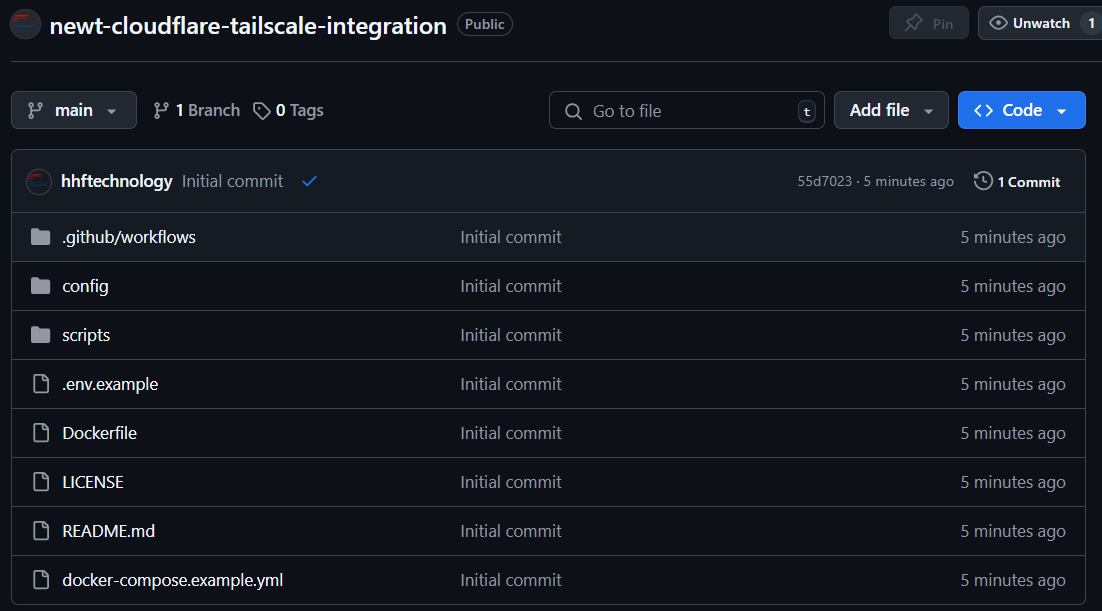
For updates, issues, or contributions, please visit our GitHub repository at GitHub - hhftechnology/newt-cloudflare-tailscale-integration
License
MIT License - See LICENSE file for details