Automated Website Analytics with GoAccess: A Complete Guide for CloudPanel Users
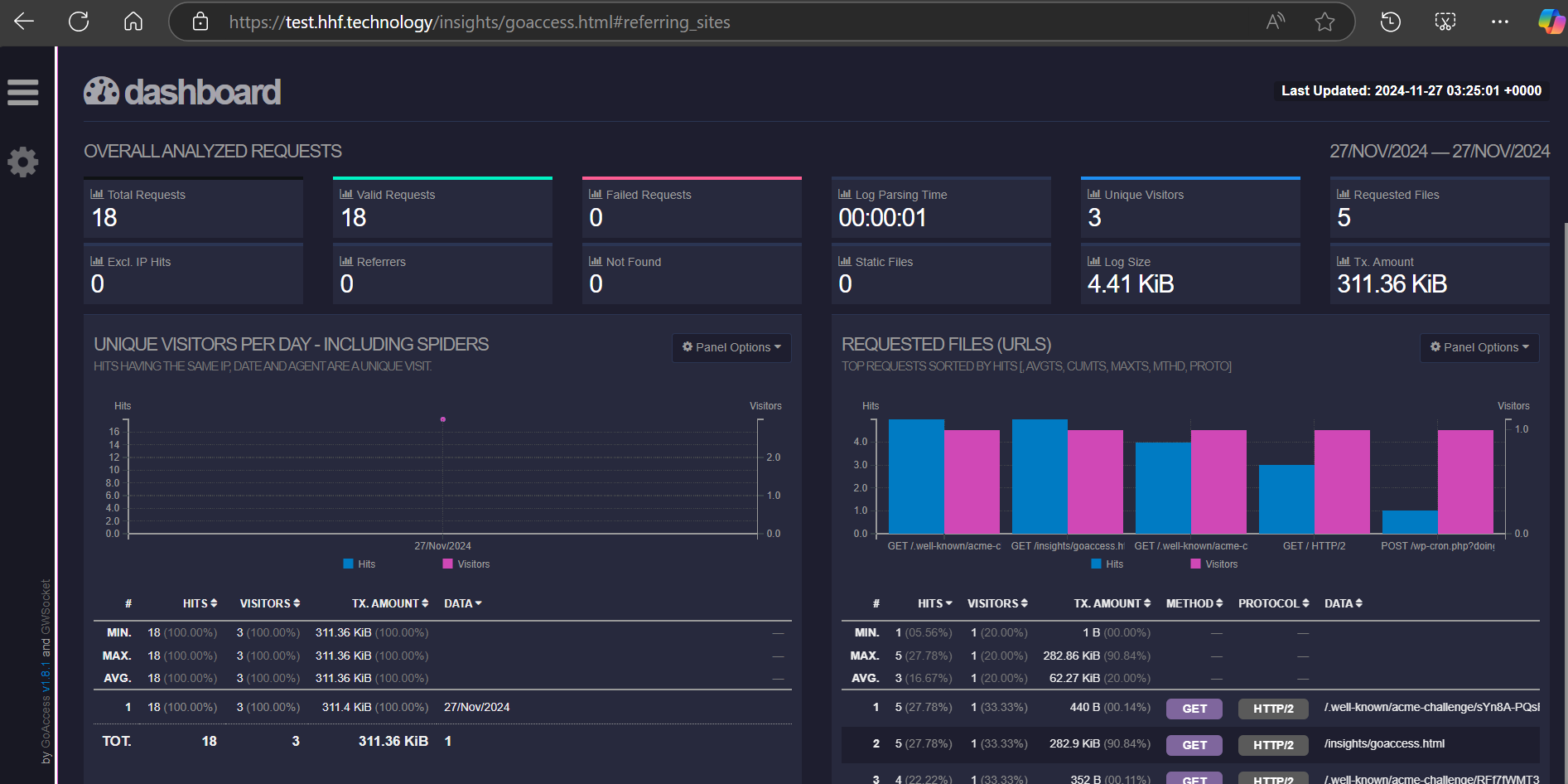
Understanding Your Website Traffic Without Google Analytics
In today’s privacy-conscious world, many website owners are looking for alternatives to traditional analytics tools. If you’re using CloudPanel to manage your websites, I’ve created a powerful automated script that leverages GoAccess to provide detailed traffic analytics while keeping your visitors’ data private and on your own server.
What is GoAccess and Why Should You Care?
GoAccess is a fast, terminal-based log analyzer that creates beautiful HTML reports from your web server logs. Unlike Google Analytics, GoAccess:
- Doesn’t require any JavaScript on your website
- Respects user privacy
- Has no external dependencies
- Provides real-time analytics
- Works with your existing server logs
The Automated Setup Script: Your Analytics Solution
I’ve developed a comprehensive bash script that automates the entire setup process for CloudPanel users. This script handles everything from installation to automated report generation, making it easy to get detailed analytics for all your websites.
Key Features
- Automatic Installation: The script handles the complete GoAccess installation process.
- Multi-Domain Support: Automatically generates reports for all domains in your CloudPanel setup.
- Intelligent Log Rotation: Configures logrotate to manage your log files efficiently.
- Automated Updates: Sets up a cron job to update your analytics every 5 minutes.
- User-Specific Processing: Maintains proper file permissions and ownership.
- Non-Destructive Updates: Safely handles new configurations without overwriting existing ones.
Installation Instructions
- Download the script:
wget https://git.hhf.technology/hhf/CloudPanel-GoAccess-Analytics-Automation/raw/branch/main/goaccess-setup.sh
- Make it executable:
chmod +x goaccess-setup.sh
-
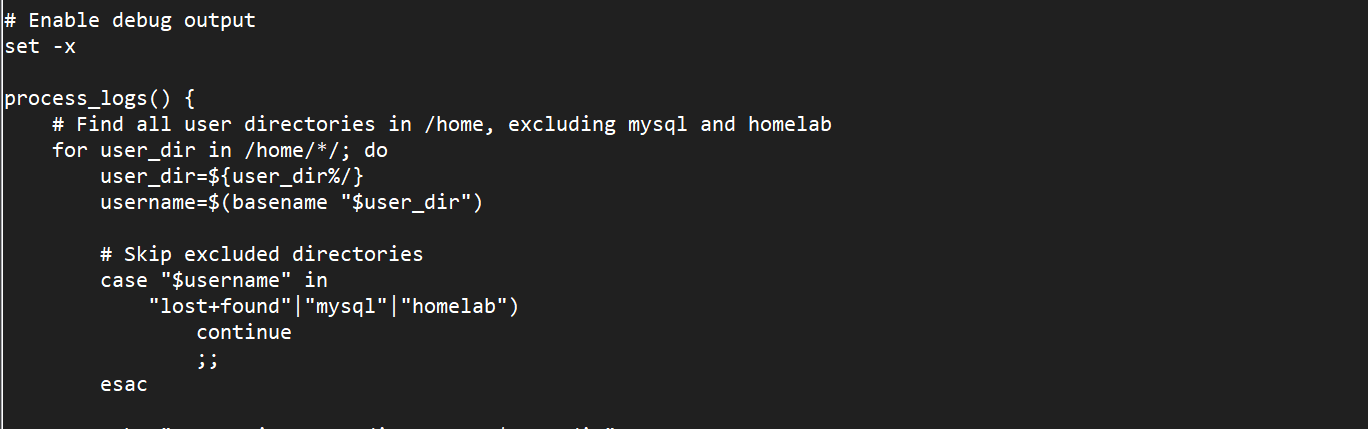
Before running it if you want to exclude any folders, please do it as shown in the image file below.
-
Run the script:
sudo ./goaccess-setup.sh
What Happens Behind the Scenes?
The script performs several key functions:
1. GoAccess Installation
- Adds the official GoAccess repository
- Installs the latest version
- Configures system dependencies
2. Log Management
- Sets up proper log rotation rules
- Configures compression and retention policies
- Maintains separate logs for each domain
3. Report Generation
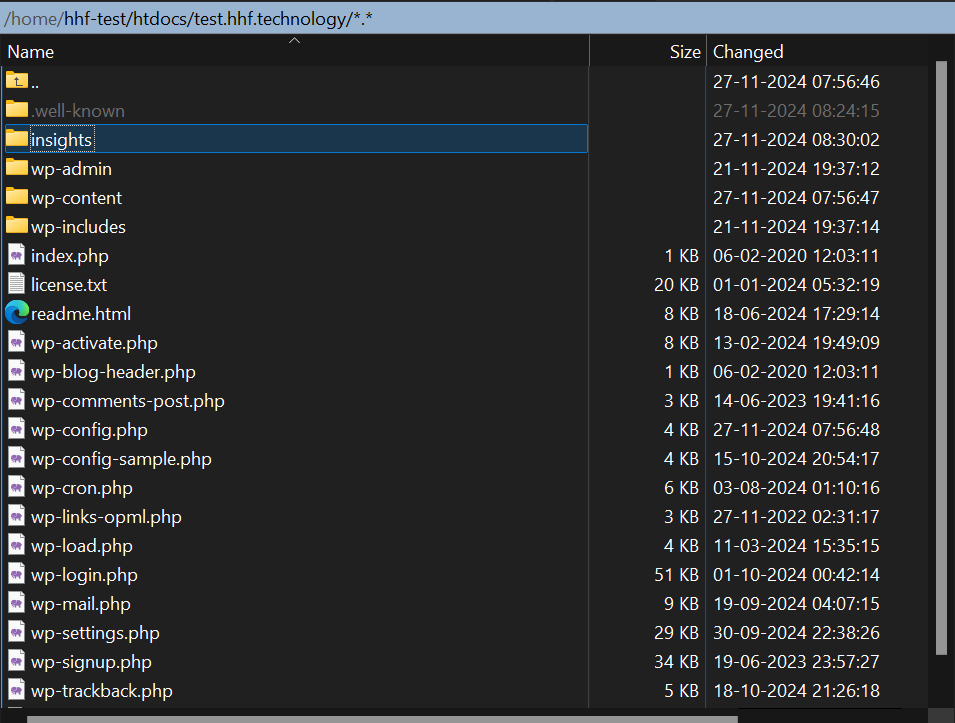
- Creates an insights directory for each domain
- Generates HTML reports from access logs
- Updates reports automatically every 5 minutes
4. Permission Management
- Sets appropriate file ownership
- Configures secure directory permissions
- Ensures proper access control
Where to Find Your Analytics Reports
After running the script, you can find your analytics reports at:
/home/your-username/htdocs/your-domain/insights/goaccess.html
For example, if your domain is example.com, the report would be at:
/home/your-user/htdocs/example.com/insights/goaccess.html
Benefits for CloudPanel Users
-
Zero Configuration Required
- Install and forget - the script handles everything
- Automatic updates keep your analytics current
-
Resource Efficient
- Minimal server impact
- Efficient log processing
- Smart log rotation to manage disk space
-
Privacy-Focused
- All data stays on your server
- No third-party tracking
- GDPR-friendly analytics
-
Cost-Effective
- No monthly subscriptions
- No additional services needed
- Uses existing server logs
-
Scalable
- Works with multiple domains
- Handles growing traffic volumes
- Adaptable to new sites
Understanding Your Analytics Reports
The generated reports provide detailed insights into:
- Real-time visitor statistics
- Unique visitors and pageviews
- Popular pages and content
- Traffic sources and referrers
- Visitor geolocation
- Browser and device statistics
- HTTP status codes and errors
Maintenance and Updates
The script is designed to be maintenance-free:
- Automatically updates reports
- Manages log rotation
- Preserves configurations during updates
- Self-heals permissions
Troubleshooting Tips
- Check the cron job logs:
tail -f /var/log/goaccess_cron.log
- Verify log file existence:
ls -la /home/your-user/logs/nginx/access.log
- Check report generation:
ls -la /home/your-user/htdocs/your-domain/insights/
Future Enhancements
Consider these potential customizations:
- Custom report themes
- Email notifications
- Traffic anomaly detection
- Custom reporting periods
- Integration with monitoring tools
Conclusion
This automated GoAccess setup script provides CloudPanel users with a powerful, privacy-focused analytics solution that’s easy to install and maintain. By leveraging your existing server logs, you get valuable insights into your website traffic without compromising user privacy or adding server overhead.
The best part? It’s completely free and open source. You can start monitoring your website traffic today without any additional costs or complex configurations.
Get Started
Ready to get started with privacy-focused analytics? Download the script and follow the installation instructions above. Within minutes, you’ll have detailed analytics for all your CloudPanel-hosted websites.

 I want to look at your other helper scripts as well.