# Hosting a Static Website with Pangolin, the Middleware Manager and the Statiq Middleware Plugin

**URL:** https://forum.hhf.technology/t/hosting-a-static-website-with-pangolin-the-middleware-manager-and-the-statiq-middleware-plugin/2126
**Category:** Guides & Tutorials
**Tags:** traefik-plugin, traefik, pangolin
**Created:** [May 22, 2025, 1:15pm UTC](https://forum.hhf.technology/t/hosting-a-static-website-with-pangolin-the-middleware-manager-and-the-statiq-middleware-plugin/2126 "2025-05-22T13:15:30Z")
**Posts on this page:** 1
**Page:** 1

<div class="post-metadata">

### Author: ![Mattercoder](https://forum.hhf.technology/letter_avatar_proxy/v4/letter/m/54ee81/32.png) [@Mattercoder](https://forum.hhf.technology/u/Mattercoder)
#### Post date: [May 22, 2025, 1:15pm UTC](https://forum.hhf.technology/t/hosting-a-static-website-with-pangolin-the-middleware-manager-and-the-statiq-middleware-plugin/2126/1 "2025-05-22T13:15:30Z")

</div>

# 🏠 Hosting a Static Website with Pangolin, the Middleware Manager and the Statiq Middleware Plugin

The [Pangolin Middleware Manager](https://forum.hhf.technology/t/enhancing-your-pangolin-deployment-with-middleware-manager/1324) now includes a **Plugin Hub** , making it easier than ever to extend your Traefik-based reverse proxy. One powerful new option is **Statiq** , a plugin that turns Traefik into a feature-rich static file server.

This guide will walk you through using Statiq to serve a landing page from your root domain (e.g. `https://static.yourdomain.com`) while your Pangolin UI and services remain at subdomains (e.g., `https://pangolin.yourdomain.com`).

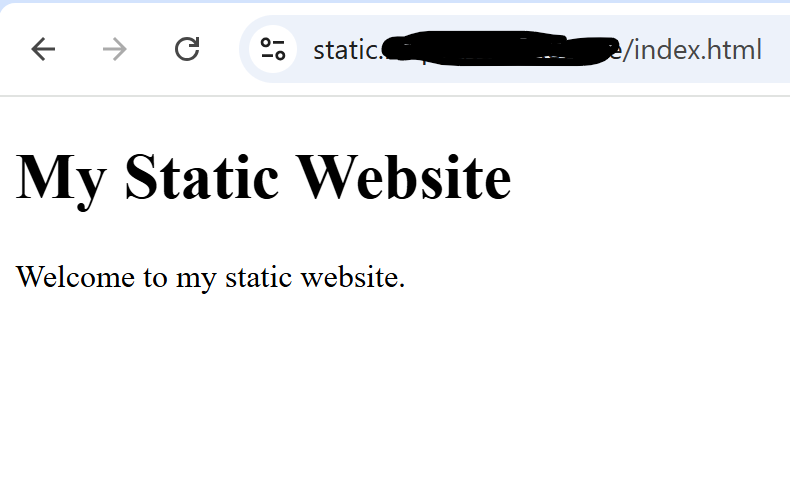
> 📷 **Screenshot of Static Website:**
> 
> ![static-website](https://forum-cdn.hhf.technology/original/2X/c/cd20368ade8d40a9f35332639bab360cb14817f7.png)

* * *

## ✨ What is Statiq?

[Statiq](https://github.com/hhftechnology/statiq) is a Traefik plugin that enables static file serving directly within your reverse proxy setup.

### Key Features

- Basic static file serving
- SPA (Single Page App) support
- Directory listing control
- Custom index/error pages
- Cache control support
- Full compatibility with Traefik v3

### Use Cases

- Static website hosting
- SPA hosting (React, Vue, Angular)
- API docs hosting (Swagger, Redoc)
- Internal documentation sites

* * *

## 🚀 Step-by-Step Setup

### 1. Enable the Statiq Plugin via Plugin Hub

- Open Middleware Manager and go to the **Plugin Hub**
- Add the `statiq` plugin

Ensure this gets written into your `traefik_config.yml`:

```yaml
experimental:
    plugins:
        statiq:
            moduleName: github.com/hhftechnology/statiq
            version: v1.0.1

```

> 📷 **Screenshot of new Plugin Hub:**
> 
> ![plugin-hub](https://forum-cdn.hhf.technology/original/2X/b/b61a1269cb09067c1683ddadfb3b5a0c56536305.png)

* * *

### 2. Create a Public HTML Directory to host your web page

```bash
mkdir -p ./public_html

```

Create a file `public_html/index.html`:

```html
<!DOCTYPE html>
<html>
<body>
<h1>My Static Website</h1>
<p>Welcome to my static website.</p>
</body>
</html>

```

* * *

### 3. Mount the HTML Directory into Traefik

Update your `docker-compose.yml` for Traefik:

```yaml
volumes:
  - ./public_html:/var/www/html:ro

```

Restart Traefik:

```bash
docker compose restart traefik

```

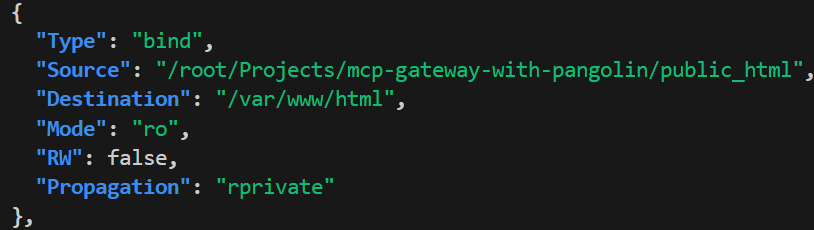
Verify:

```bash
docker inspect traefik --format '{{ json .Mounts }}' | jq

```

Or shell in:

```bash
docker exec -it traefik sh
ls /var/www/html

```

> 📷 **Screenshot showing inspect results:**
> 
> ![inspect-volumes](https://forum-cdn.hhf.technology/original/2X/8/8d53ad9ab52ba63640fe2556945a5860fd12905f.png)
* * *

### 4. Configure the Middleware Template

If not already configured, add to `middleware-manager/templates.yml`:

```yaml
- id: "statiq"
  name: "statiq"
  type: "plugin"
  config:
    statiq:
      enableDirectoryListing: "false"
      indexFiles:
        - "index.html"
        - "index.htm"
      root: "/var/www/html"
      spaIndex: "index.html"
      spaMode: "false"

```

Restart Middleware Manager:

```bash
docker compose restart middleware-manager

```

Or manually add the middleware via the UI:

- Click “Create Middleware”
- Choose “Traefik plugin”
- Paste in:

```json
{
  "statiq": {
    "enableDirectoryListing": false,
    "indexFiles": ["index.html", "index.htm"],
    "root": "/var/www/html",
    "spaIndex": "index.html",
    "spaMode": false
  }
}

```

* * *

### 5. Create a Pangolin Resource for Your Static Domain

In Pangolin:

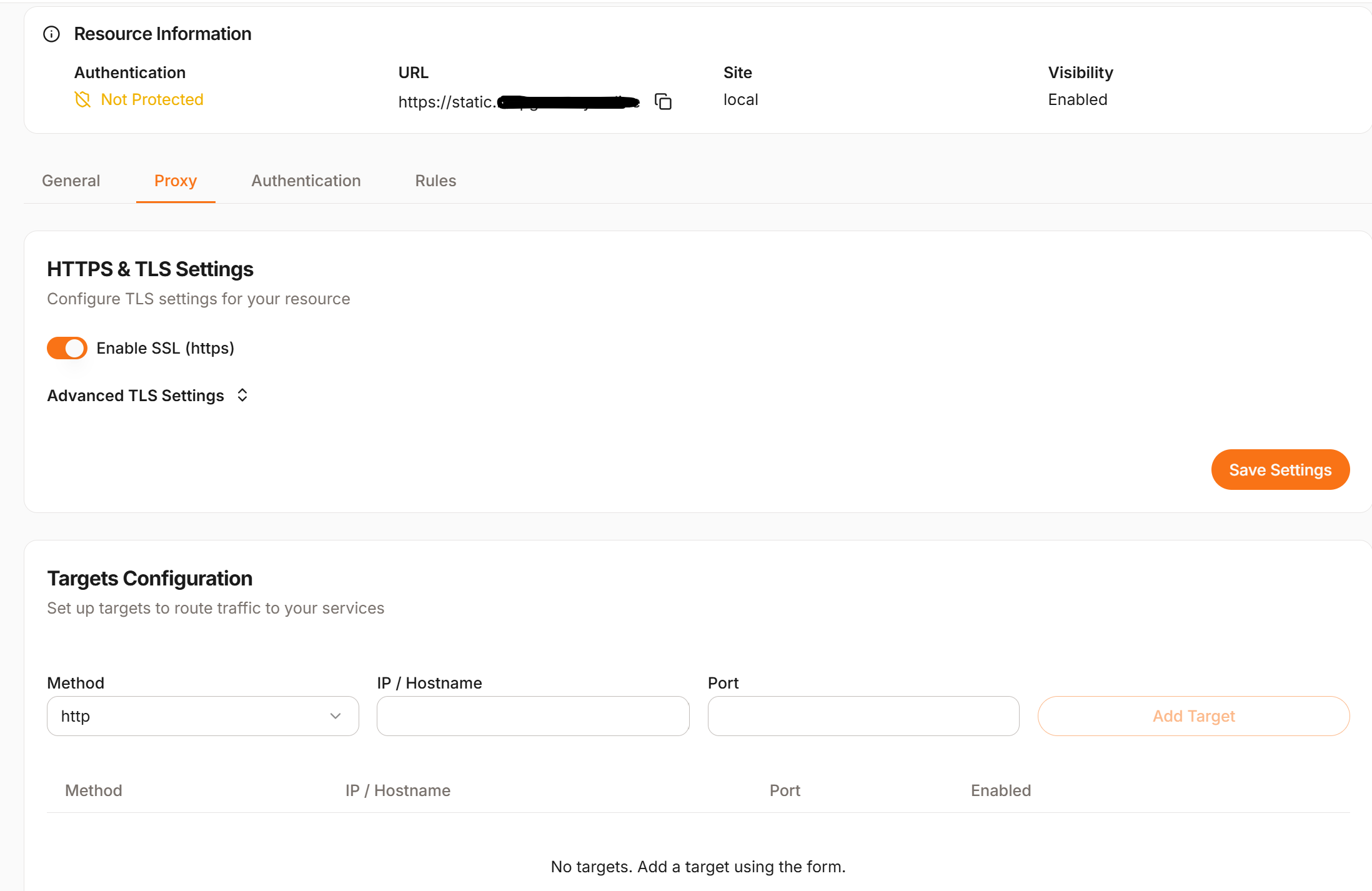
- Create a **Local Resource**
- Name: `static-site`
- Domain: `static.yourdomain.com`
- Leave Target blank

> 📷 **Screenshot of adding local resource with no target:**
> 
> ![pangolin-resource-no-target](https://forum-cdn.hhf.technology/original/2X/4/4564b7e024210185acadce8db97f1c527c73fab3.png)
* * *

### 6. Define a Custom Service

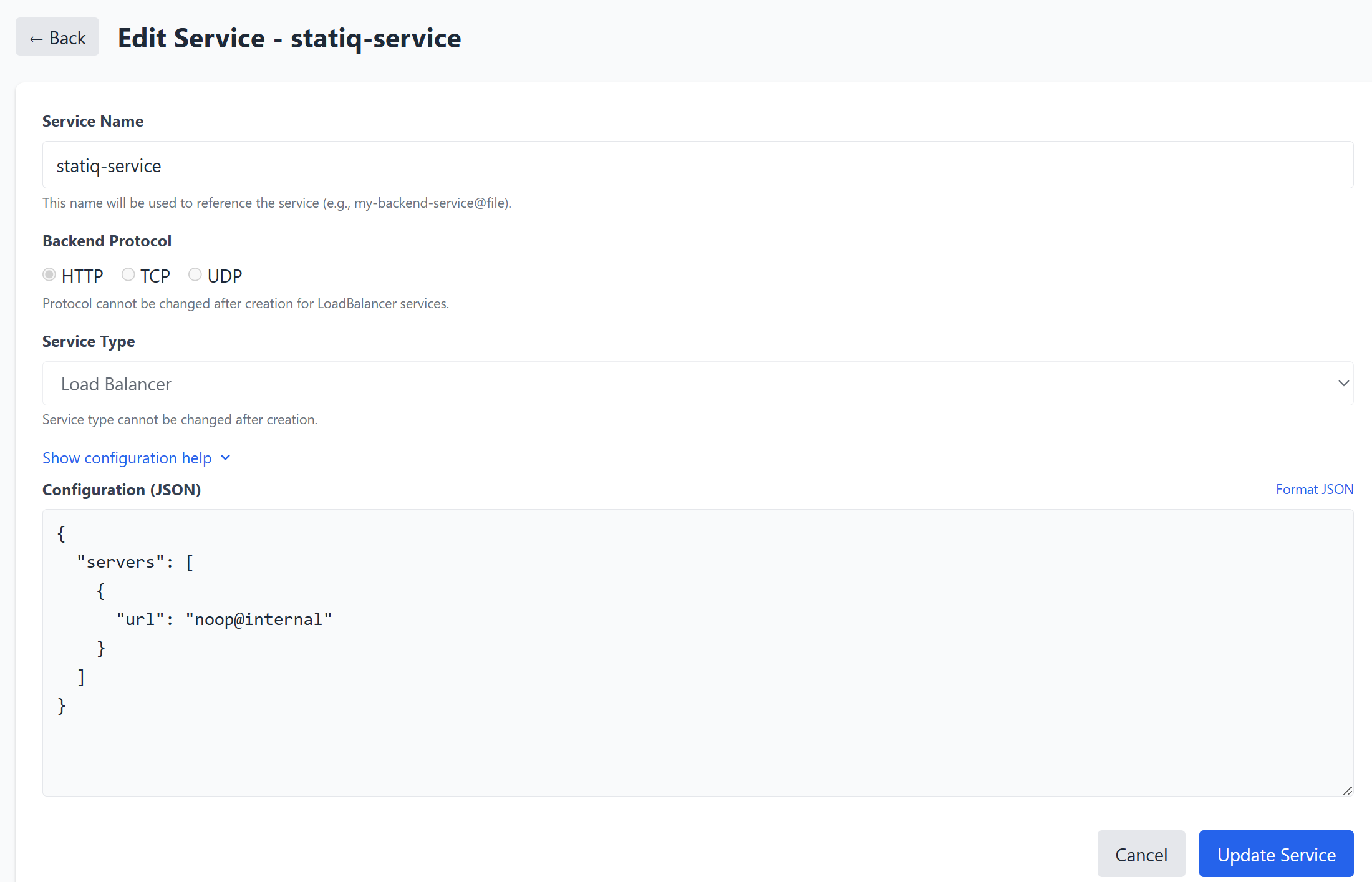
In Middleware Manager \> **Services** tab:

- Create a new service called `statiq-service` with:

```json
{
  "servers": [
    {
      "url": "noop@internal"
    }
  ]
}

```

> 📷 **Screenshot showing creation of the statiq using `noop@internal` service:**
> 
> ![create-statiq-service](https://forum-cdn.hhf.technology/original/2X/b/bb888c4ce3f6e4d87d9db2d797b9a81a3c9fc5f5.png)
* * *

### 7. Attach Middleware and Service

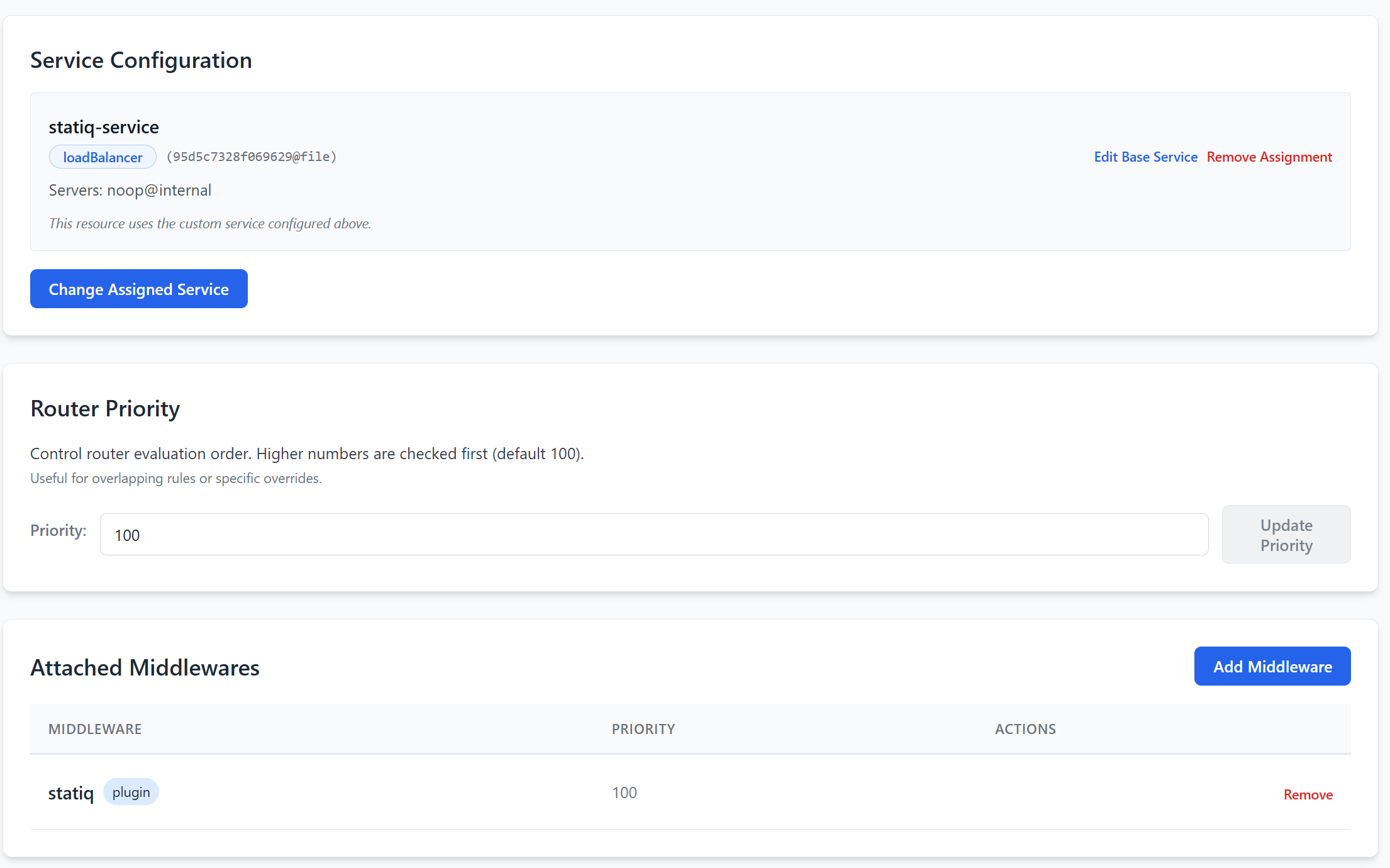
In Middleware Manager \> **Resources** :

- Select your static site resource
- Under **Service** , select `statiq-service`
- Under **Middleware** , select `statiq`

> 📷 **Screenshot showing adding custom service and middleware to resource:**

* * *
 ![add-service-and-middleware-to-resource](https://forum-cdn.hhf.technology/original/2X/5/5bf5e71aae88e7ee3d19807f024bb1510bbf2d2b.png)

### 8. Test Your Setup

Visit:

```auto
https://static.yourdomain.com

```

You should see the HTML page you created in `index.html`.

> 📷 **Screenshot showing the static HTML page loading in browser:**
> 
> ![static-website](https://forum-cdn.hhf.technology/original/2X/c/cd20368ade8d40a9f35332639bab360cb14817f7.png)
* * *

### 🚫 Important Note: Protecting Static Pages with Authentication

By default, if `statiq` is the first middleware, the resource is not protected by Pangolin’s authentication (e.g., `badger`).

You may see that the `resources_override.yml` file looks like this:

```yaml
25-router-auth-auth:
  entryPoints:
    - websecure
  middlewares:
    - statiq@file
    - badger@http
  rule: "Host(`static.yourdomain.com`)"
  service: "95d5c7328f069629@file"
  tls:
    certResolver: "letsencrypt"

```

To enforce auth, **manually reverse the order** :

```yaml
middlewares:
  - badger@http
  - statiq@file

```

> 📅 Note: This change might be overwritten by updates in Middleware Manager.

* * *

## ✅ Summary

You now have a clean, powerful way to serve a static homepage (or app, or docs site!) using **Statiq** in combination with Pangolin and Middleware Manager. This approach keeps everything inside your Traefik ecosystem and leverages the flexibility of plugins.

* * *

## 🙏 Thanks for Reading!

We hope you found this guide useful! Statiq is just one of many ways to extend your reverse proxy with Middleware Manager’s Plugin Hub. Explore more plugins or contribute your own! If you found this useful please star our plugin on the [Traefik Plugin Hub](https://plugins.traefik.io/plugins/682ca71e5cf75d3c3d216b24/statiq). Happy hosting! 🌐
